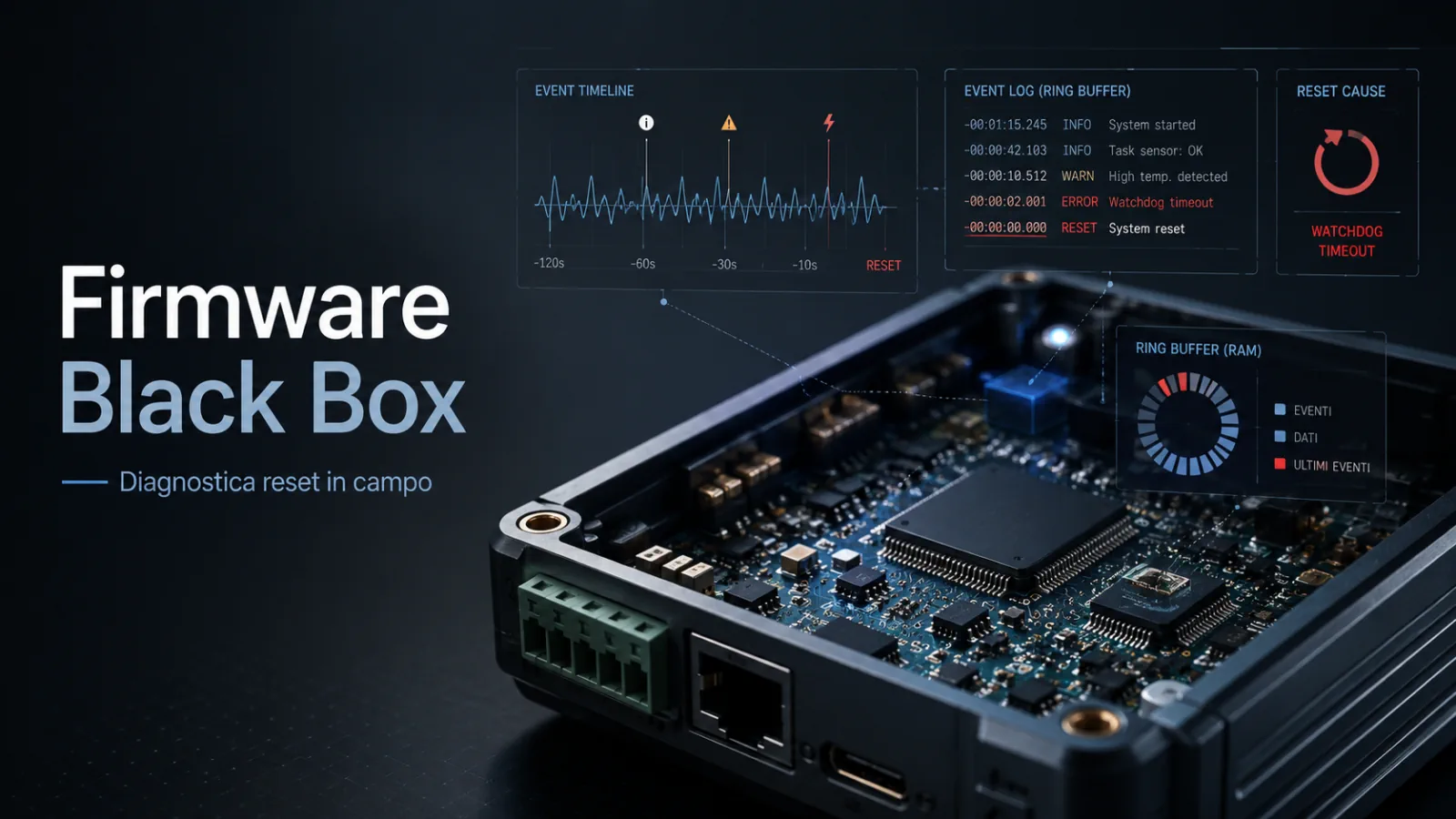
A Firmware Black Box is an embedded diagnostics strategy designed to explain why an STM32, ESP32, FreeRTOS or bare-metal device resets in the field, especially when the issue cannot be reproduced in the lab. It is useful for IoT products, industrial devices, gateways, controllers, connected sensors and custom electronic boards that must remain reliable after days, weeks or months of real operation.
The important question is not only "why did the firmware reboot?". The better question for an embedded team is: when the device resets at the customer site, does the firmware leave enough evidence to understand what happened before the reboot?
Many embedded products work well on the bench, pass internal tests and look ready for production. Then, once they are installed in the field, the difficult problems start: sporadic resets, apparently random watchdog events, rare HardFaults, intermittent lockups, connectivity loss, RTOS tasks behaving non-deterministically, or devices that "restart by themselves" without an obvious cause.
In these cases, the real obstacle is not always the bug itself. The real obstacle is that, after the reboot, the firmware says nothing. Without a firmware black box, every reset deletes a large part of the evidence needed for diagnosis.
What a Firmware Black Box is
A Firmware Black Box is a small diagnostic infrastructure embedded in the firmware that stores essential information before, during and after a critical error. Its goal is to make post-mortem analysis possible even when the device is already at the customer site, without a debugger attached, without an active serial log and without a technician present at the moment of the crash.
The idea is similar to an aircraft black box, applied to embedded systems. You do not need to record everything. You need to record the right information: reset reason, uptime, firmware version, build ID, application state, last error, active task, watchdog counters, available memory, recent important events and, when possible, fault registers or a core dump.
On a microcontroller-based system, the black box can use retention RAM, internal flash, NVS, EEPROM, FRAM or a small dedicated persistent area. In a connected device, it can also send a diagnostic report to the cloud after the next successful reboot. In an industrial product, it can export a file that support teams can read. In a gateway or embedded Linux system, it can integrate with persistent logs, hardware watchdogs and remote telemetry.
The key point is simple: after a reset, the device should be able to explain why it restarted.
Why sporadic resets are so hard to diagnose
The most expensive embedded bugs are not always the most dramatic ones. Very often, they are the rare ones. A firmware issue that always fails in the same function is relatively straightforward to analyze. A firmware issue that resets the device once every ten days can consume weeks of engineering time.
The cause may depend on a hard-to-reproduce combination: temperature, unstable power supply, noise on a line, fragmented memory, a stack that is too small, network timeouts, a stuck modem, flash activity, an ISR that runs too long, a race condition between tasks, a peripheral that does not answer, or a packet received at the wrong moment.
In the lab, the device looks perfect. At the customer site, something changes. Maybe the power supply is different. Maybe the cable is longer. Maybe the network drops more often. Maybe the device stays powered for weeks, while during development it is rebooted every day. Maybe the final enclosure runs hotter than the open prototype on the bench.
When the report arrives, the team often receives a generic sentence: "the device locked up", "it rebooted", "it stopped communicating", "we had to power-cycle it". Those statements are operationally useful, but they are too poor for firmware diagnosis.
A Firmware Black Box reduces this uncertainty. It does not remove bugs, but it turns every future crash into a source of technical data.
The real value: from trial-and-error debugging to guided diagnosis
Without persistent data, debugging often becomes a sequence of hypotheses. The team increases a task stack, changes a modem timeout, modifies the watchdog configuration, adds a few logs, releases a new version and waits to see whether the issue comes back.
Sometimes it works. But when it works, the team does not always know why. And when it does not work, more time has been lost.
With a firmware black box, the next reboot can provide concrete clues. It may show that the reset was caused by the watchdog, that the device had been running for 74 hours, that the communication task was in the "reconnect" state, that the minimum heap had fallen below a critical threshold, that a task stack was almost exhausted, or that a HardFault happened in a specific area of the code.
This information does not always provide an immediate fix, but it completely changes the working method. The team no longer starts from "maybe it is the modem" or "maybe it is the power supply". It starts from a technical report produced by the device itself.
Firmware Black Box on STM32 and Cortex-M
On STM32 microcontrollers, and more generally on Arm Cortex-M architectures, a firmware black box becomes especially useful when it integrates reset reason, fault handlers and diagnostic registers correctly.
When a HardFault, BusFault, UsageFault or MemManage Fault occurs, the system is not necessarily information-free. Cortex-M processors expose fault status registers and, in some cases, fault address registers. Arm documentation describes how these registers can support the analysis of these conditions.
In the STM32 ecosystem, ST also highlights the importance of analyzing fault registers when investigating a HardFault on Cortex-M microcontrollers. A well-designed firmware should therefore avoid blindly rebooting the system. It should try to save at least a minimal set of useful information before the reset.
An STM32 black box can include the last reset reason, watchdog counters, application state, a fault snapshot, the program counter when available, the stack pointer, selected system registers and a small ring buffer with recent application events.
This must be designed carefully. At the moment of a fault, the system may already be unstable. It is not the right time for complex operations, large writes or unsafe drivers. The black box must be small, robust and predictable.
Firmware Black Box on ESP32
On ESP32, ESP-IDF already provides very useful post-mortem analysis tools. Core dump, for example, is designed to save software state when a fatal error occurs. Espressif documentation describes the core dump as a set of information automatically saved by the panic handler and useful for analyzing the software state at the time of the crash.
This matters because, on ESP32, it is often better not to reinvent everything. The strongest design is usually to use the mechanisms already available in ESP-IDF and integrate them into a broader diagnostic strategy.
An ESP32 product can record panic data, backtrace, reset reason, application events, Wi-Fi or BLE state, connection errors, minimum heap, OTA state and firmware version. If the device is connected, it can upload the diagnostic report to the backend after reboot, once the network is available again.
The business value is clear: instead of asking the customer to describe what happened, the device can produce a technical report that the development team can read.
Watchdog: automatic recovery or missed opportunity?
The watchdog is essential in embedded systems. It brings the device back to a working state when the firmware locks up or stops responding. In many products it is mandatory, especially when the device must operate without human intervention.
But a watchdog alone is not enough. If the watchdog fires and the firmware restarts without saving anything, the system has recovered service but lost the cause of the problem.
This is one of the most common mistakes in production firmware. The watchdog is seen as the solution, when in reality it is only part of the solution. It needs a diagnostic strategy around it: which task did not respond? Which state was active? How long had the device been running? Were there repeated errors before the reset? Was the network offline? Was memory decreasing? Was the firmware in the middle of an OTA update?
A good watchdog restarts the device. A good black box explains why the restart was necessary.
Logging and diagnostics are not the same thing
Many firmware projects already have logs, but that does not mean they are diagnosable. Logging often starts during development: UART messages, temporary prints and events written to understand code behavior on the bench. That is useful, but it does not always survive production.
Diagnostics is different. It is designed to answer precise questions after a real problem. It must work when the device is at the customer site, when no serial terminal is connected, when the system resets and when technical support needs to retrieve data without lab tools.
A firmware can print thousands of UART lines and still be blind in the field. Conversely, a compact persistent ring buffer with the latest important events can be much more useful than a huge log nobody will ever see.
The quality of a black box is not measured by the amount of data stored. It is measured by how much it reduces the time needed to identify the root cause.
What a Firmware Black Box should contain
An effective black box must be designed around the product, but some information is almost always useful. The firmware should store the reset reason, uptime before reboot, firmware version, build ID, hardware variant, application state and last meaningful error.
In RTOS systems, it becomes important to know which task was active, how much free stack remained for the main tasks and what the minimum available heap was. FreeRTOS provides functions such as uxTaskGetStackHighWaterMark, which reveal the minimum stack space left for a task during execution. This is valuable when stack overflow or undersized tasks are suspected.
Connected devices should also record network events: connections, disconnections, timeouts, TLS errors, DNS failures, cloud reconnect attempts, modem state, MQTT errors, BLE or Wi-Fi errors and OTA state changes.
Battery-powered products or devices installed in difficult environments may also need brown-out information, minimum observed voltage, temperature, power-management state and the number of closely spaced reset cycles.
| Diagnostic information | Why it is useful | Debug impact |
|---|---|---|
| Reset reason | Distinguishes watchdog, software reset, brown-out, manual reset or fault | Avoids treating all reboots as the same event |
| Uptime before reset | Shows whether the problem is immediate, progressive or linked to long runtime | Helps identify memory leaks, accumulated errors or rare conditions |
| Firmware version and build ID | Identify the exact code installed on the device | Prevents analysis on a version that is not the one actually deployed |
| Application state | Shows what the product was doing before the problem | Reduces the code area to inspect |
| Recent events | Reconstruct the sequence before the reset | Turns an isolated crash into a readable technical story |
| RTOS task and stack data | Help identify blocked tasks, insufficient stacks or wrong priorities | Very useful on FreeRTOS, Zephyr and other embedded RTOSes |
| Minimum heap | Shows whether dynamic memory is being exhausted over time | Helps recognize fragmentation or memory leaks |
| Fault registers or core dump | Preserve technical information about the crash | Enable more precise post-mortem analysis |
Typical architecture of an embedded Firmware Black Box
| Component | Role | Embedded impact |
|---|---|---|
| Reset reason collector | Reads and normalizes the reset cause at boot | Distinguishes watchdog, fault, power issue and software reset |
| Fault handler | Collects minimal data during a HardFault or critical exception | Must be extremely simple, safe and designed for unstable conditions |
| Event ring buffer | Stores recent significant application events | Reconstructs what happened in the seconds or minutes before reset |
| Diagnostic persistence | Saves data in retention RAM, flash, NVS, EEPROM or FRAM | Balances reliability, memory wear and power consumption |
| Build identity | Associates each report with firmware, commit, hardware variant and configuration | Avoids confusion between versions, branches, prototypes and customer releases |
| Diagnostic export | Makes the report readable or uploadable after reboot | Can use app, BLE, USB, cloud, local file, CLI or service interface |
| Privacy and security | Limits collected data and avoids exposing secrets | Essential when the device handles credentials, user data or keys |
Where to store diagnostic data
The storage choice depends on the product. In simple devices, a small memory area preserved across software resets may be enough. More complex products may need a dedicated flash partition, external memory or a persistent diagnostic file.
On ESP32, natural options include NVS, a flash partition and core dump. On STM32, the best choice depends on the MCU family, available backup RAM, internal flash, emulated EEPROM, external FRAM or a filesystem. On embedded Linux, the black box can integrate with persistent logs, journald, hardware watchdogs, application dumps and health monitors.
The right choice is not the most sophisticated one. It is the one that is most reliable for the use case. A battery-powered device must limit writes. An industrial product must survive sudden power loss. A connected gateway can upload remote reports. A regulated product must pay careful attention to integrity, privacy and traceability.
| Storage | When it makes sense | Main limitation |
|---|---|---|
| Retention RAM | Software resets, watchdog events, very fast temporary data | Does not always survive power loss or brown-out |
| Internal flash | Small reports, critical events, devices without external memory | Requires careful management of wear, timing and atomicity |
| NVS / dedicated partition | ESP32 and systems with structured storage | Must avoid corruption and excessive writes |
| External EEPROM or FRAM | Frequent diagnostics, counters, critical events, industrial products | Increases BOM, layout, driver and hardware validation effort |
| Local filesystem | Gateways, embedded Linux, devices with larger storage | Needs power-loss handling, log rotation and data-integrity checks |
| Cloud or backend | IoT devices with connectivity available after reboot | Must not be the only source: the network may be part of the problem |
The typical case: perfect in the lab, unstable at the customer site
Imagine an IoT controller based on STM32 or ESP32. In the lab it talks correctly to sensors, sends data to the cloud, handles OTA and passes functional tests. The firmware includes a watchdog, so the team feels reasonably safe.
After release, however, some customers start reporting random reboots. It does not happen on every device. It does not happen every day. It does not happen during internal tests. The cloud only shows a temporary data gap. The customer can provide little more than the approximate time of the problem.
Without a black box, the team has to proceed by guessing. Maybe the modem enters an abnormal state. Maybe the watchdog timeout is too aggressive. Maybe a task consumes stack. Maybe there is a memory leak. Maybe the supply voltage dips below threshold. Maybe an I2C peripheral gets stuck.
With a firmware black box, each new episode can produce data. The report might say that the reset was caused by the watchdog, that the device had been running for 91 hours, that the issue happened during an MQTT reconnect, that the network task stack was almost exhausted and that the last events include several DNS timeouts.
That is not the final fix yet, but it is a clear direction. In embedded debugging, having a clear direction often makes the difference between days and weeks of work.
Common mistakes in firmware diagnostics
One frequent mistake is adding a watchdog and considering the problem solved. The watchdog is essential, but without diagnostics it may hide the bug instead of making it visible.
Another mistake is leaving the HardFault handler empty or immediately resetting the device. In many cases, the moment of the fault is the only chance to save decisive information. Even a small amount of data, if collected well, can guide the analysis.
There is also the classic UART-only logging problem. During development it is convenient, but in the field it is often useless. If the device resets at the customer site and nobody had a terminal connected, those logs are gone.
A missing build ID can create confusion as well. Knowing that the device uses "version 1.4" is not always enough. In production, the team needs to know which commit, which configuration, which hardware variant and which build are actually installed.
Finally, many firmware projects do not distinguish reset causes properly. Brown-out, watchdog, software reset, manual reset and fault are not the same event. Treating them all as "reboot" means losing the first useful clue.
Technical checklist for evaluating your firmware diagnostics
firmware_black_box_audit:
  reset_diagnostics:
    reset_reason_collected_at_boot: true
    watchdog_reset_detected: true
    brownout_or_power_issue_detected: true
    software_reset_distinguished: true
    reset_counters_persistent: true
  firmware_identity:
    firmware_version_available: true
    build_id_available: true
    git_commit_or_release_hash_available: true
    hardware_variant_recorded: true
    configuration_flags_recorded: true
  fault_handling:
    hardfault_handler_implemented: true
    fault_registers_saved_when_available: true
    stack_pointer_or_context_saved_when_safe: true
    panic_or_core_dump_strategy_defined: true
    reboot_after_fault_controlled: true
  rtos_diagnostics:
    active_task_recorded: true
    stack_high_water_mark_monitored: true
    heap_minimum_recorded: true
    task_watchdog_or_health_monitor_defined: true
    deadlock_or_starvation_indicators_available: true
  event_logging:
    persistent_ring_buffer_available: true
    application_state_transitions_logged: true
    network_errors_logged: true
    ota_events_logged: true
    peripheral_timeouts_logged: true
  storage:
    diagnostic_area_defined: true
    flash_wear_considered: true
    power_loss_during_write_considered: true
    data_integrity_checked: true
    sensitive_data_excluded: true
  export:
    diagnostic_report_readable_without_jtag: true
    customer_or_support_export_flow_defined: true
    cloud_upload_after_reboot_optional: true
    report_format_documented: true
    escalation_process_defined: true
Recommended mini adoption plan
flowchart TD
  A["Analyze resets and intermittent bugs"] --> B["Define diagnostic questions"]
  B --> C["Collect reset reason, build ID and application state"]
  C --> D["Integrate fault handler, watchdog analysis and RTOS metrics"]
  D --> E["Design persistent ring buffer and diagnostic area"]
  E --> F["Export report through app, cloud, USB, BLE or service interface"]
  F --> G["Test with power loss, watchdog, fault injection and real stress"]
  G --> H["Controlled rollout and analysis of field data"]
When to introduce a Firmware Black Box
The best moment is during firmware architecture, before production. At that stage it is easier to define application states, choose which events to store, select diagnostic memory, integrate reset reason, design fault handlers and prepare a readable report format.
The second-best moment is when the first intermittent problems appear. If the product is already in the field and shows sporadic resets, unexplained watchdogs or crashes that are hard to reproduce, adding diagnostics can be more useful than continuing to add patches without data.
The worst moment is after months of customer escalation, when there are many firmware versions, incomplete reports, conflicting hypotheses and commercial pressure to "fix it immediately". Intervention is still possible, but the technical and organizational cost is higher.
For this reason, the black box should not be treated as an optional feature. It is part of the architecture of maintainable firmware.
Firmware Black Box and product quality
Embedded diagnostics is often seen as a technical detail, but it directly affects the quality perceived by the customer.
When a device locks up and the team cannot explain why, the problem does not remain confined to the code. The customer loses trust. Support opens tickets that are hard to close. R&D stops new work to chase old issues. Releases slow down, and every firmware update feels risky.
A firmware black box reduces that friction. It helps distinguish software, hardware, power, connectivity and configuration issues. It helps determine whether a bug affects one customer or a family of devices. It makes it easier to compare firmware versions. Most importantly, it allows technical decisions to be based on real data.
In IoT, industrial, medical, wearable, gateway or embedded-controller products, this capability can make a substantial difference. A sporadic reset on a prototype is annoying. The same reset on hundreds of installed devices is an operational cost.
Firmware Black Box, OTA and connected devices
In connected devices, the black box becomes even more important because it can work together with the OTA strategy. Firmware that updates remotely should also be able to report whether the update completed successfully, whether the new version boots reliably, whether a rollback happened, whether connectivity dropped during a critical phase or whether the device entered a reset loop.
This is especially useful during staged rollouts. If a new release increases watchdog resets, panics or network errors, the diagnostic system should make that visible quickly. Without data, an OTA problem may become visible only when customers start reporting malfunctions.
A mature strategy therefore combines signed OTA, safe rollback, application health checks and diagnostic reports. Being able to update the firmware is not enough. The team must also understand how the product behaves after the update.
FAQ about Firmware Black Box and embedded debugging
Is a Firmware Black Box useful only on products already in production?
No. It is useful during development, validation and pre-production as well. Introducing it before release helps find intermittent bugs during long tests, stress tests, environmental tests and field validation.
Is it still necessary if the firmware already has a watchdog?
Yes. The watchdog helps the system recover, but it does not explain why the system got stuck. A firmware black box completes the watchdog by saving useful information before or after the reset.
Does it require a lot of memory?
Not necessarily. In many cases, a few well-designed records are enough: reset reason, uptime, build ID, application state, last error, selected counters and a compact ring buffer of recent events.
Can it be implemented on STM32?
Yes. On STM32, you can use reset flags, fault handlers, Cortex-M registers, retention RAM, internal flash, external EEPROM or other solutions depending on the MCU family and product requirements.
Can it be implemented on ESP32?
Yes. ESP-IDF provides mechanisms such as panic handler and core dump, which can be integrated with application logs, reset reason, diagnostic reports and remote upload after reboot.
Can a black box replace the debugger?
No. The debugger remains essential in the lab. The black box is useful when the problem happens far from the lab, on real devices, under conditions that are hard to reproduce.
Can diagnostics create privacy or security issues?
Yes, if designed poorly. Diagnostic reports should not contain passwords, tokens, private keys or unnecessary personal data. A good black box stores only what is needed for technical diagnosis.
When should you request an external audit?
An audit is useful when the product has sporadic resets, unexplained watchdogs, intermittent bugs, RTOS issues, field crashes, or when the team does not have enough data to identify the real cause. An audit can help separate symptoms, assumptions and measurable evidence.
Useful technical references
- Arm - Fault status registers and fault address registers on Cortex-M
- STMicroelectronics - How to debug a HardFault on an Arm Cortex-M STM32
- Espressif - ESP-IDF Core Dump
- Espressif - ESP-IDF Fatal Errors and Panic Handler
- FreeRTOS - uxTaskGetStackHighWaterMark
- FreeRTOS - Debugging Hard Faults on Cortex-M microcontrollers
Conclusion
A Firmware Black Box is not just a debugging feature. It is a different way to design embedded firmware: not code that only works when everything goes well, but a system capable of explaining what happened when something goes wrong.
For STM32, ESP32, RTOS devices, IoT gateways, industrial controllers and custom electronic boards, that difference can be decisive. A product installed in the field cannot depend on the luck of reproducing the bug in the lab. It must leave traces, preserve clues and let the technical team analyze the problem with real data.
The right choice is not to add a few logs at the end of the project. The right choice is to design diagnostics that are consistent with the firmware architecture, watchdog, memory, RTOS, OTA, security, technical support and product lifecycle.
When designed with method, a Firmware Black Box turns sporadic resets from mysterious problems into measurable problems. And a measurable problem is much closer to a solution.
Does your embedded device reset in the field without a clear reason?
Silicon LogiX supports companies and technical teams in the analysis of embedded firmware, watchdog resets, HardFaults, crash dumps, persistent logs, RTOS tasks, memory, OTA and diagnostics on STM32, ESP32, embedded Linux and custom architectures. A technical audit can help you understand which information is missing, how to collect it and how to turn an intermittent bug into an analyzable problem.
Request an embedded firmware audit