SLX Serial Check is now available on GitHub. This new Silicon LogiX project runs repeatable serial tests on electronic boards and embedded devices. The desktop application sends command sequences, checks responses against defined acceptance criteria and retains results, timings and communication traffic in a local archive.
The software is built with React, TypeScript, Rust and Tauri 2 and is distributed as Windows and Linux packages. The project shows how we connect interfaces built with web technologies to native services and hardware communication: from configuring a test to handling errors and exporting the evidence.
From manual checks to a repeatable test procedure
When developing an electronic product, many checks use a serial port: reading the firmware version, sending a command, retrieving a value or verifying a diagnostic response. Repeating these operations manually means keeping commands, limits, waiting times and notes consistent for every board.
SLX Serial Check describes this procedure as a reusable test sequence. The operator selects a port, identifies the board and station, loads the sequence and starts execution. Each command has its own acceptance criterion and produces a result that can be inspected afterwards. This workflow supports laboratory checks, comparisons between firmware revisions and preparation of product-specific test procedures.
Configurable sequences: text, HEX and numeric limits
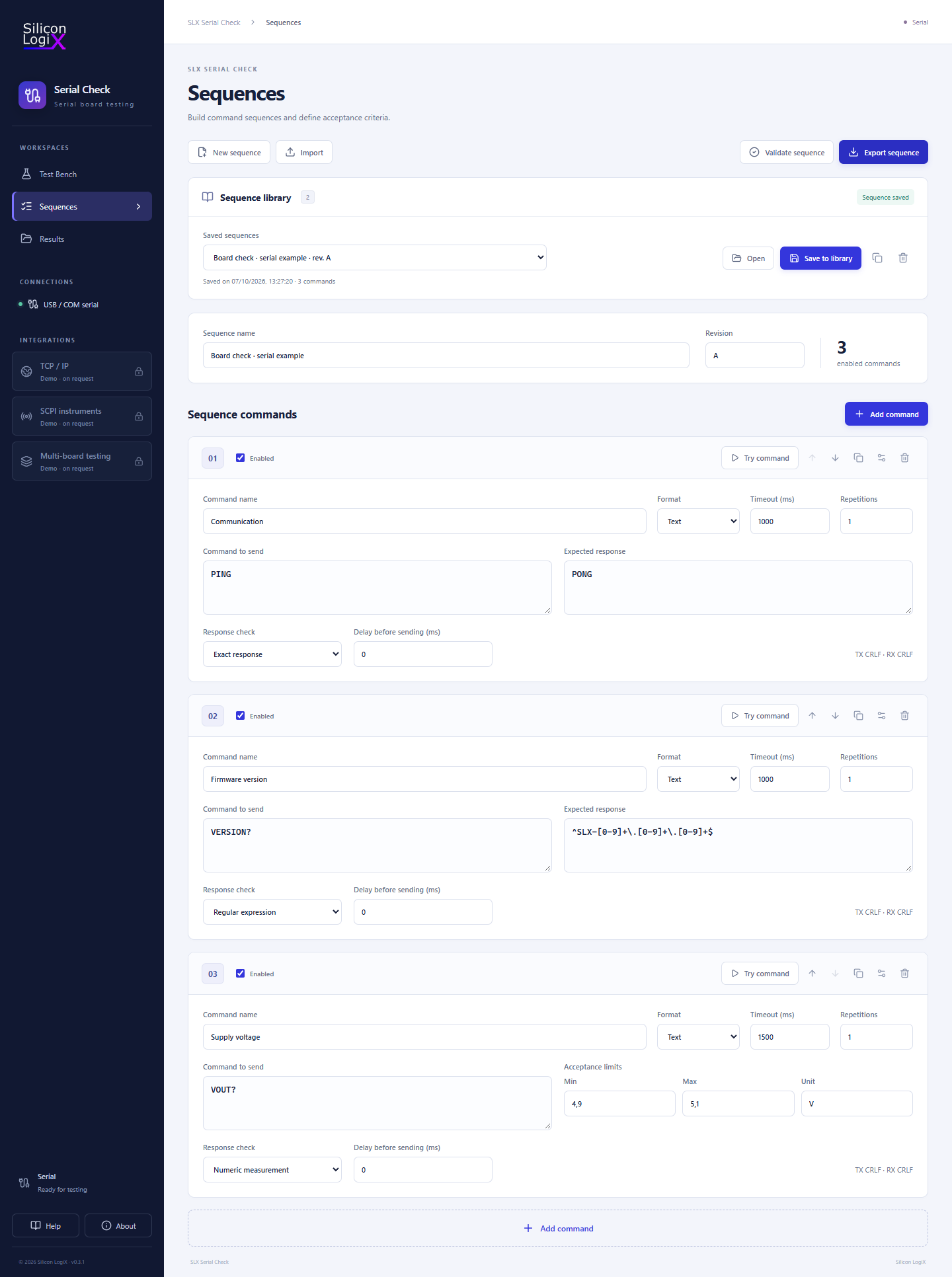
The editor arranges commands in execution order and lets the operator set the expected response, timeout, delay before sending and repetition count. A command can be disabled while retaining its configuration, or tried individually before starting the complete sequence.
The application supports text commands and binary packets in HEX format. Text responses can be checked with an exact comparison, a substring, a regular expression or a numeric range. Binary packets can be checked against expected bytes, with a precise response length when needed.
The examples included in the repository illustrate the workflow: send PING and expect PONG, verify a firmware version format, or extract a value between 4.9 and 5.1 V from the response to VOUT?. In the last example, the software evaluates the value reported by the device. The HEX example sends AA 01 55 and checks a four-byte response.
A sequence library with revision management
Procedures are saved with a name and revision in a local library. The JSON format allows them to be imported, exported and inspected outside the application. A saved snapshot retains the sequence configuration; subsequent edits become part of that library entry when the operator explicitly saves them.
Changing the name or revision creates a new entry and retains the previous one. The application indicates unsaved changes and asks for confirmation before replacing the current work. For teams preparing procedures for several products, these features help organise variants and identify the configuration in use.
Execution, response timing and error handling
The complete sequence is validated before any data is sent to the board. The engine keeps one serial connection open throughout the run and handles both individual command repetitions and multiple cycles of the procedure. Baud rate, data bits, parity, stop bits and response framing are part of the configuration.
During a test, the interface displays progress, the current cycle, transmitted and received traffic, and check outcomes. A response that fails its acceptance criterion can stop execution according to the operator’s selected policy. Timeouts, communication errors, invalid data and cancellation stop the sequence, keeping failed checks distinct from checks that were never executed.
An operator-requested stop retains the available evidence and prevents subsequent cycles from starting. Closing the application during a test also handles cancellation and evidence storage before exiting. Measured timings describe execution on the desktop system and help compare the behaviour observed across tests.
React and TypeScript for the operator interface
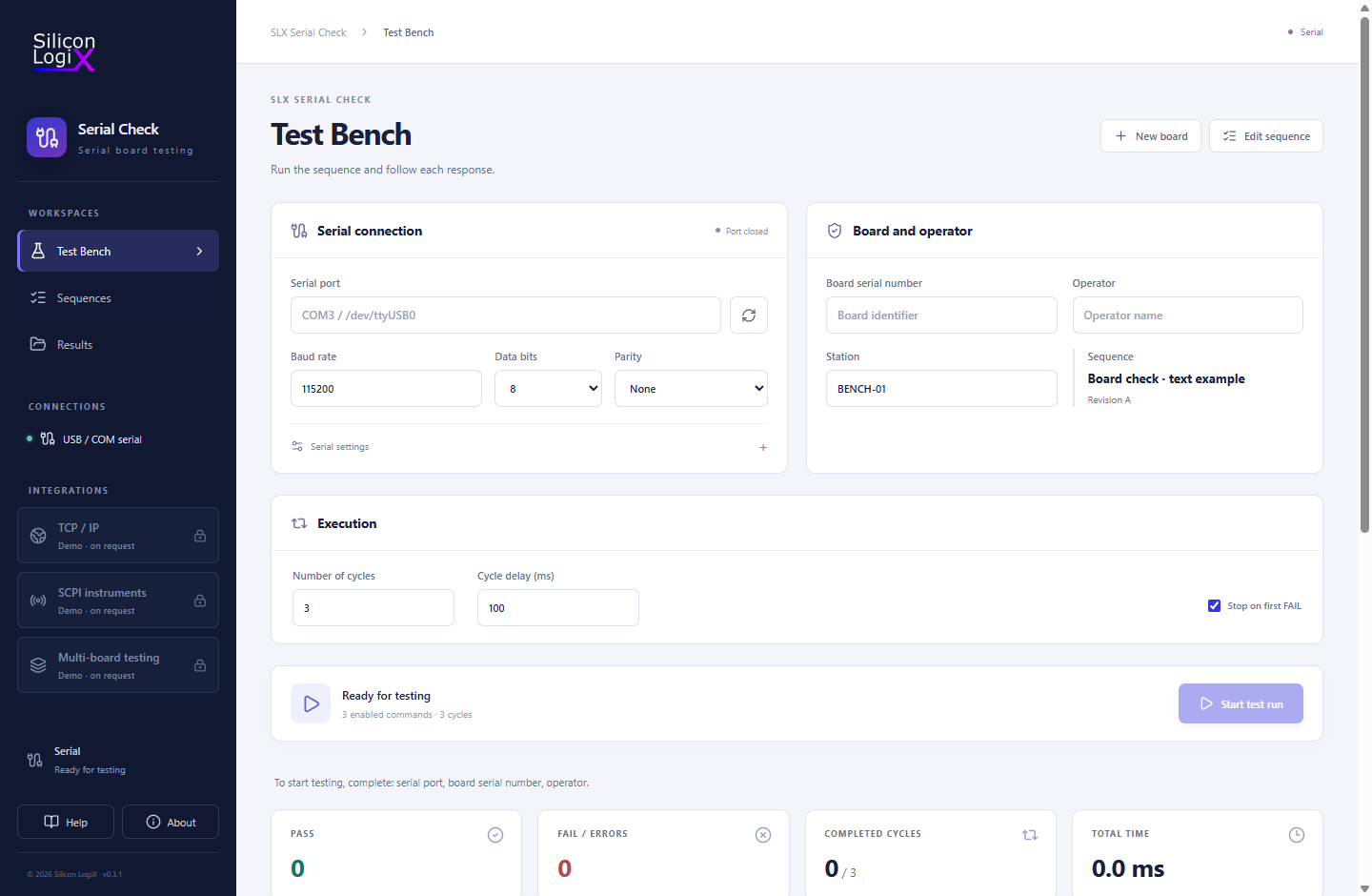
The interface is built with React and divided into three workspaces: Test Bench for connection and execution, Sequences for procedure preparation, and Results for browsing saved runs. Dedicated components handle the command editor, connection state, progress, confirmation dialogs and result details.
Interface logic is organised into separate React hooks for execution, the sequence library and the archive. The active-run hook follows the starting, running, waiting and stopping states, retains the configuration used by the test and discards late events belonging to an earlier run. These choices make the lifecycle of asynchronous operations explicit.
TypeScript defines the structures used for sequences, requests, events and reports, helping keep the code that consumes them consistent. Static type checks work alongside data validation in the native engine. Vite handles frontend development and builds: the same interface code can be explored in a browser preview, while serial execution takes place in the desktop application.
Rust for serial communication and test logic
The software’s core is a Rust engine independent of the interface, organised in the serialcheck-core library. Separate modules handle profile models, serial access, execution, command encoding, response acceptance and result export. This separation allows sequence behaviour to be tested without launching the GUI.
The engine addresses practical communication details: partial reads, fragmented responses, message terminators, packet lengths and receive deadlines. Desktop services run the test separately from the interface and allow only one active execution. Cancellation requests are checked during exchanges and pauses.
The architecture documented in the repository demonstrates Rust development applied to I/O, state management, concurrency and error handling. The procedure logic remains separate from the services that display events and persist data.
Tauri 2: web technologies and native desktop services
Tauri 2 connects the React frontend to Rust services through native commands and event channels. The interface requests the port list, starts or stops a test, and queries saved runs; the backend accesses serial devices and the filesystem and reports progress. These responsibilities are also explicit in the frontend-backend communication module.
The result is a desktop application that uses web technologies for presentation and native services for device operations. Sequences, history and the quick-start guide remain available locally, and startup does not require an Internet connection. This approach suits technical tools that run on the operator’s workstation and communicate directly with hardware.
Traceable results and integration with SLX Test Report
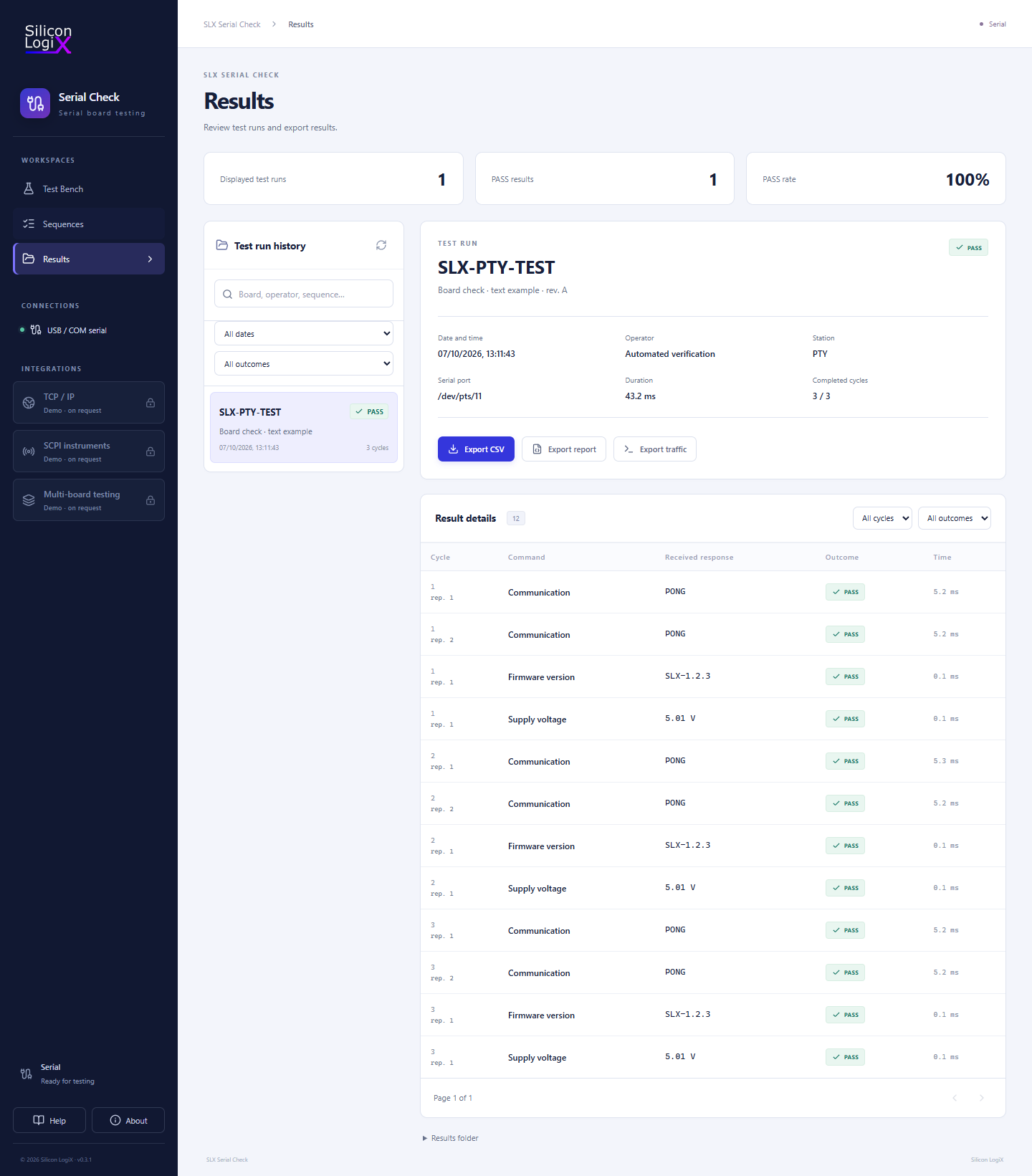
Each run retains the board serial number, operator, station, run identifier, effective configuration, responses and outcomes. The SHA-256 fingerprint of the effective profile identifies the configuration used. The TX/RX log retains transmitted and received data, including text and hexadecimal representations and timing information.
Saved runs can be searched and filtered by date and outcome, with details for each cycle and individual check. Export formats include CSV, JSON and JSONL: CSV contains the results, JSON holds the complete report, and JSONL preserves the event stream. Statuses distinguish passed checks, failed checks, errors, cancellations and skipped controls.
Persistence is part of the execution workflow: events are recorded before being sent to the interface, and a log-writing failure interrupts the test. Final files are completed through temporary-file writes. This behaviour helps keep displayed outcomes connected to the retained evidence.
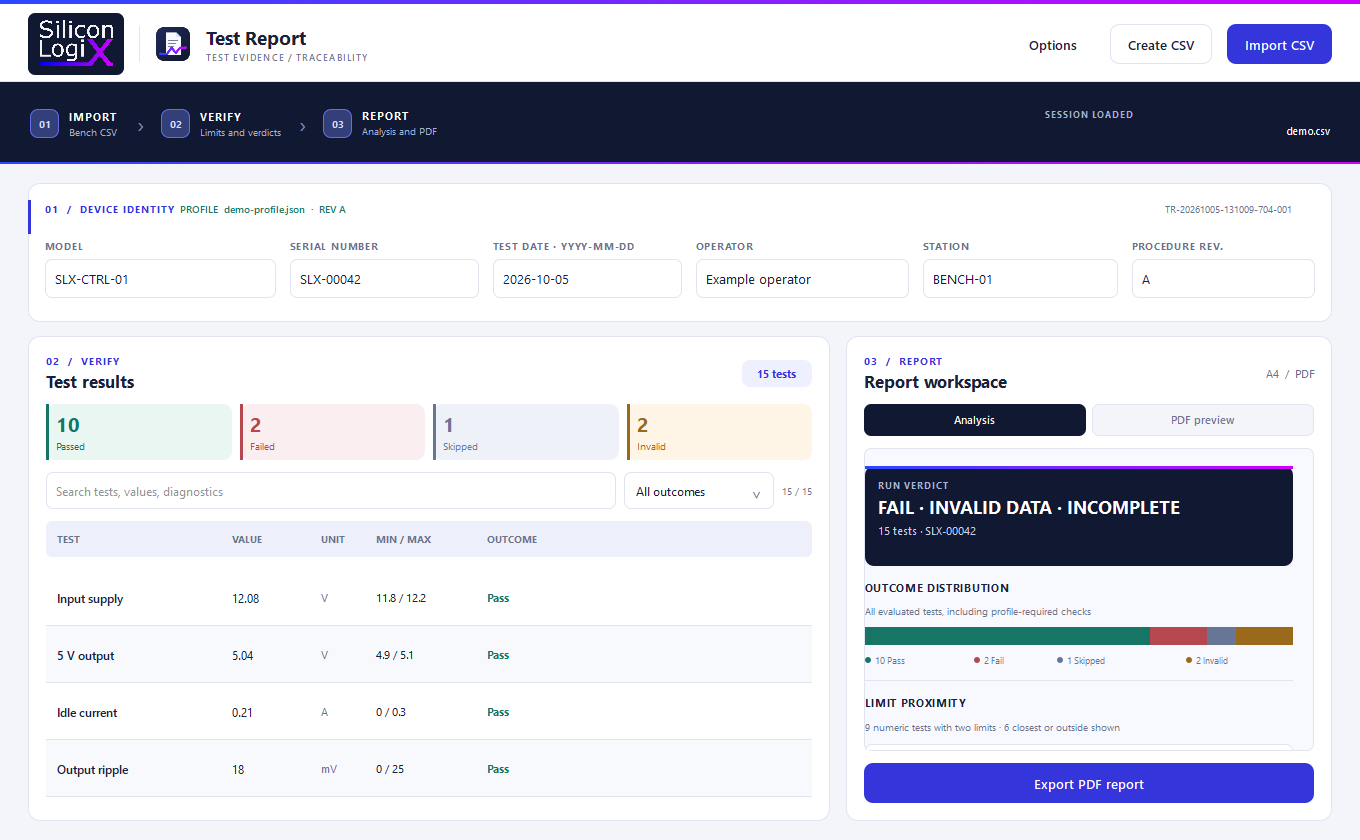
The CSV is compatible with SLX Test Report, our software for PDF test reports. The two projects cover consecutive steps: Serial Check executes checks and collects results; Test Report imports the CSV, analyses measurements and generates the PDF document. The evidence format is described in the documentation.
Automated tests and Windows and Linux packages
The repository includes TypeScript tests with Vitest and Rust tests for profile validation, saved revisions, fragmented responses, binary packets, timeouts, cancellation and CSV export. On Linux, an integration test uses an operating-system pseudo-terminal to exercise the serial driver with a controlled exchange.
The GitHub Actions workflow configures Windows and Linux checks for code analysis, types, formatting, tests, compilation and package verification. It also checks Linux archive startup in Ubuntu 22.04 and Debian 12 environments without preinstalled WebKitGTK.
Distribution also covers application dependencies: the Windows package includes its own WebView2 runtime, and the Linux package includes its application libraries. The operator’s workstation does not need Node.js or Rust installed. The build and packaging documentation describes archive preparation, dependency checks and startup verification.
How to download and try SLX Serial Check
Release v0.3.1 provides x64 packages for Windows 10/11 and Linux with a graphical desktop, Ubuntu 22.04+ or Debian 12+, together with SHA-256 archive checksums. Extract the complete folder, then start the Windows executable or Linux launcher.
For a first test, load an example sequence, adapt it to the board’s commands, choose the serial port and enter the run metadata. The operator guide covers preparation, execution and result inspection. Serial is the implemented transport; TCP/IP, SCPI instruments and multi-board testing are shown in the interface as integrations that can be developed on request.
Source code, screenshots and examples are available in the SLX Serial Check GitHub repository. The project is distributed under the Silicon LogiX Evaluation License for study and evaluation; production or commercial use requires written authorisation.
Custom software for interfaces, devices and testing
SLX Serial Check demonstrates a complete custom software development workflow: React interface design, TypeScript models, a Rust engine, Tauri desktop integration, data management, testing and distribution. These capabilities support technical tools tailored to a company’s processes, from control panels to applications that communicate with devices and existing systems.
Silicon LogiX develops desktop and web applications for businesses and firmware for embedded devices. A project can therefore include both workstation software and the product’s protocol and diagnostics, keeping commands, acceptance criteria and exported data consistent.
Let’s discuss your software project: describe the device or process, intended operating systems, data to retain and operations to automate. We can assess the requirements and first development step together.