Custom ESP32 embedded solution for IoT devices
A custom ESP32 embedded solution with modular firmware, security features and Wi-Fi/BLE connectivity for connected products.
Open project →Internal project · Embedded, IoT e manutenzione industriale
A local firmware update system for embedded devices, combining signed images, BLE diagnostics, health checks and rollback on the Nordic nRF5340-DK.
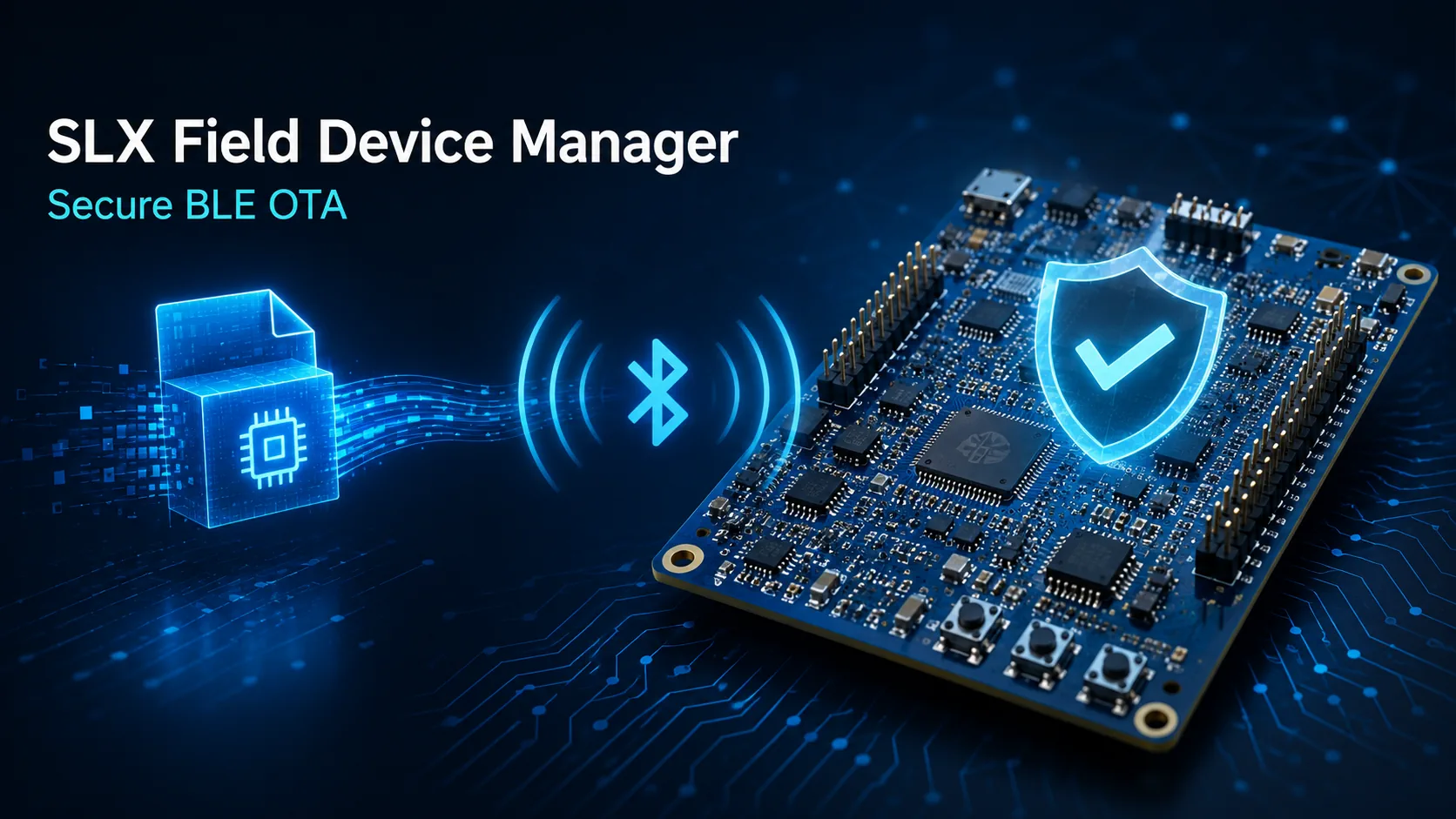
SLX Field Device Manager is an internal research and development project for managing firmware updates on embedded devices through Bluetooth Low Energy. It was designed around a practical field scenario: the device may be reachable from a phone or laptop, but it does not have a permanent Internet connection and cannot depend on a cloud gateway to be maintained.
The objective is not simply to transfer a binary file. A usable OTA path must identify the target, expose diagnostics, verify the authenticity of the image, prevent unsafe version changes and recover cleanly if the first boot of a new image fails.
Bluetooth LE is well suited to commissioning, local maintenance and controlled updates in environments such as machinery, portable instruments, test equipment and connected products installed where Wi-Fi or cellular connectivity is unavailable, restricted or simply unnecessary.
A technician can connect close to the device, inspect its identity and software version, upload an approved image and confirm the result without moving the update process through an external network. This reduces operational dependencies while keeping the workflow understandable for service personnel.
The prototype runs on the Nordic nRF5340-DK, selected for its Bluetooth LE capabilities and dual-core architecture. The board provides a realistic environment for validating boot behavior, radio communication, memory layout and update recovery before the design is transferred to custom hardware.
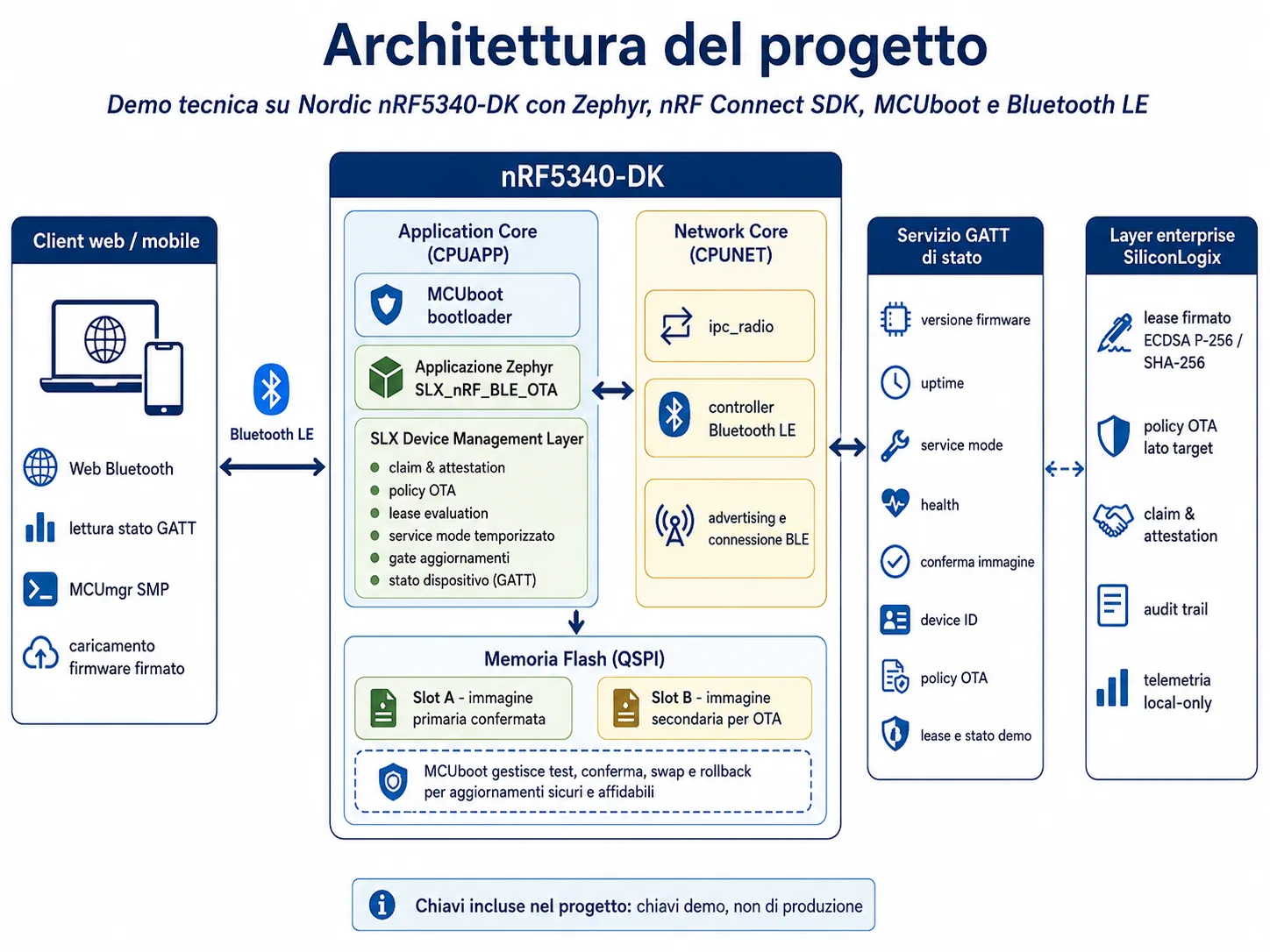
The nRF5340 combines an application core with a network core. In this project, the application core hosts the business logic, diagnostics, update policy and device services, while the network core supports Bluetooth LE connectivity. Keeping these responsibilities explicit makes the firmware easier to reason about as the product gains sensors, actuators and additional communication requirements.
Zephyr RTOS and the nRF Connect SDK provide the software base. The update path is built with MCUboot as the bootloader and MCUmgr SMP as the management protocol transported over Bluetooth LE.
Before an update is accepted, the operator needs enough information to confirm that the expected device is connected. The BLE service exposes device identity, firmware version, hardware data and diagnostic values. This helps avoid an update being applied to the wrong unit and gives the service workflow an immediate verification point.
The same connection is used to transfer the signed firmware image through the MCUmgr management channel. Designing diagnostics and update capability together avoids treating OTA as a hidden maintenance feature with no operational context.
The reference workflow uses a browser dashboard with Web Bluetooth to establish the local connection. The dashboard reads the basic device data, selects an approved firmware package and sends it to the device through MCUmgr SMP over BLE.
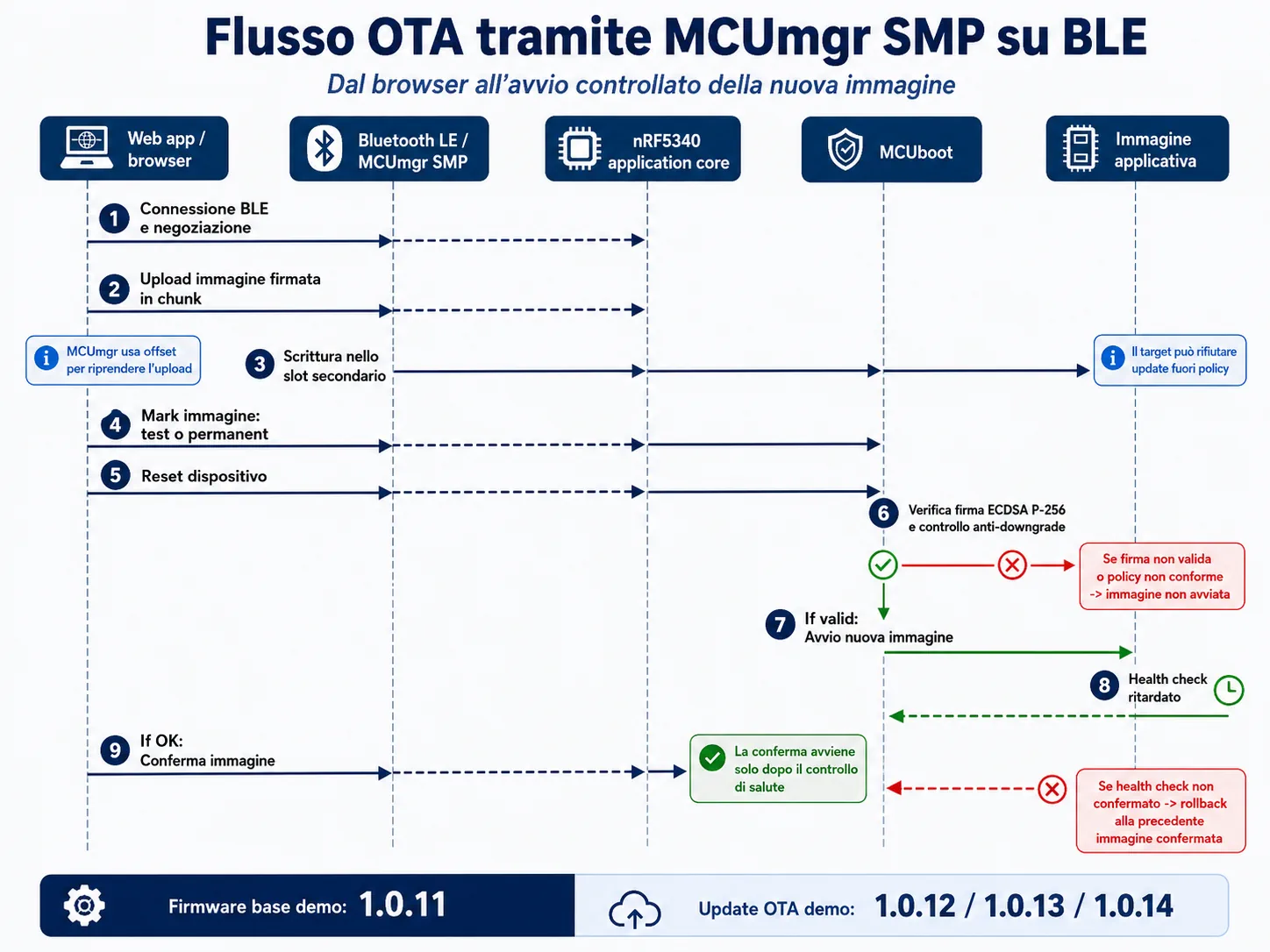
The image is written to the secondary slot. MCUboot then validates it during reboot and starts it as a test image. The application confirms the image only after the defined health checks have succeeded. Until confirmation, the previously working firmware remains available for recovery.
The prototype treats integrity and recovery as part of the normal update path, rather than optional additions. A transferred file is not trusted simply because a BLE connection was established.
Firmware images are signed with ECDSA P-256. MCUboot verifies the signature against the public key embedded in the boot chain before it allows the candidate image to run. This creates a clear boundary between an uploaded binary and an executable release.
The device compares release metadata and rejects versions that are not permitted by the update policy. This helps prevent accidental rollback to an obsolete image and provides a base for product-specific rules such as minimum supported versions or staged release channels.
A newly booted image initially remains provisional. The application must complete the expected startup checks and explicitly confirm the image. The policy can include peripheral initialization, configuration validation, basic communication checks and other product-specific conditions.
If the application cannot confirm the new image, MCUboot returns to the last known working version on the following reboot. This is essential in embedded maintenance: a failed update must not turn a recoverable issue into an inaccessible device.
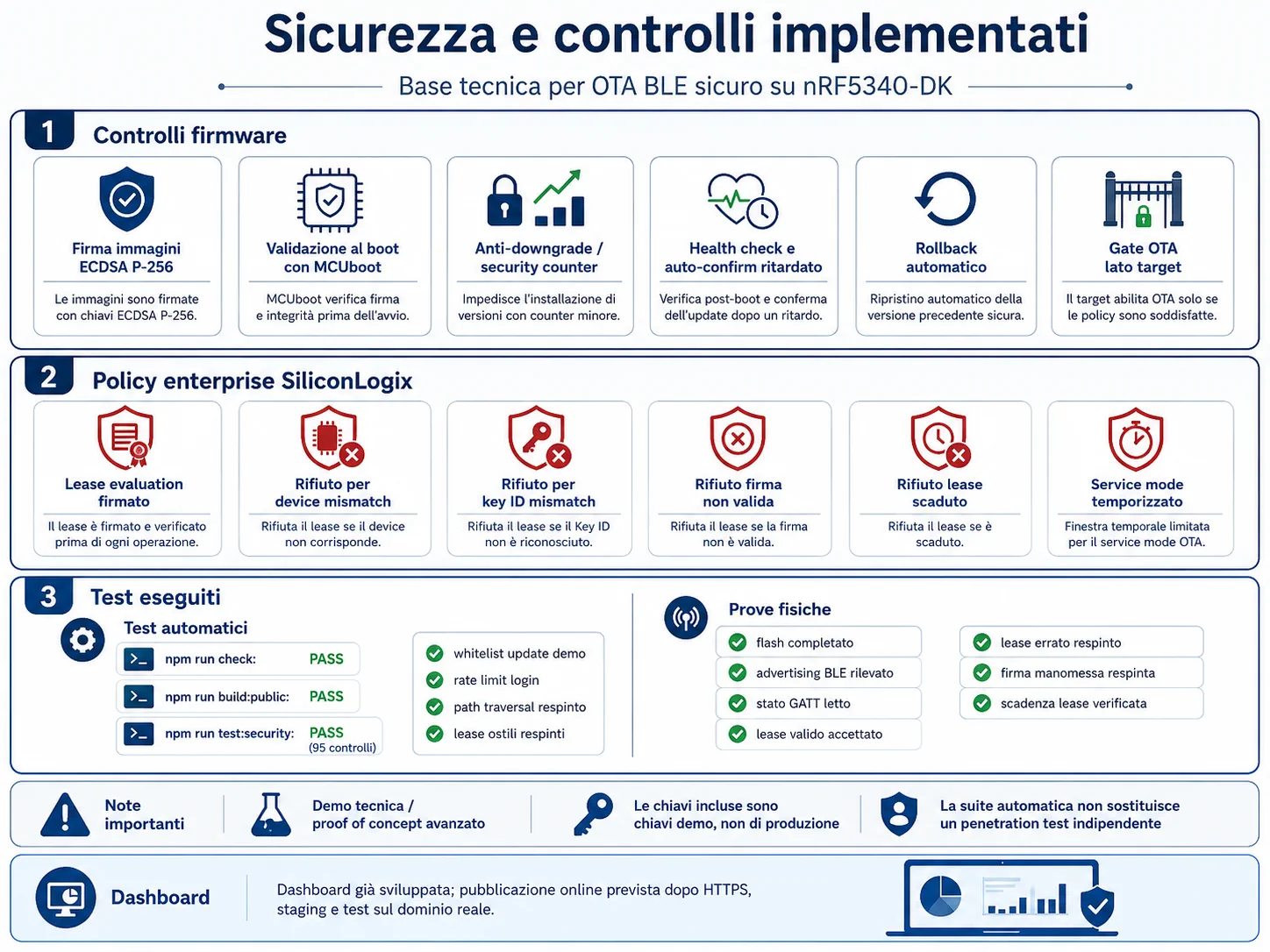
Update availability is controlled by the device, not only by the dashboard. A timed service mode can be enabled locally when maintenance is required, then close automatically after a defined period. This reduces the attack surface during normal operation while keeping the procedure simple for an authorized operator.
Target-side checks also make it possible to enforce rules such as the allowed hardware revision, image type, version constraints and the state of the device before an update begins.
The dashboard was developed for the demonstration environment and used to validate the BLE connection, diagnostics and OTA workflow on physical hardware. It provides a direct maintenance interface without requiring a dedicated native mobile application for the prototype.
For a production system, the same interaction model can be extended with authenticated operator access, release approval, audit logs and an organization-specific package distribution process.
Program the reference firmware and bootloader on the Nordic nRF5340-DK, then power the board through USB. The board advertises the BLE service used by the demonstration.
Open the dashboard in a browser that supports Web Bluetooth, select the device and check the identity, firmware version and diagnostic information before starting the update.
Choose a package produced by the signing process. MCUmgr transfers it to the secondary slot through BLE; the target validates the image during the next boot.
The candidate firmware completes its health checks and confirms itself only when it is operating correctly. If confirmation is missing, the bootloader restores the previous image at the next reboot.
The OTA sequence was verified on a real nRF5340-DK with demonstration releases from 1.0.11 to 1.0.14. Tests cover the signed transfer path, boot behavior, device-side version control, confirmation and rollback conditions.
Testing on physical hardware matters because update reliability depends on the interaction between flash layout, bootloader configuration, radio transfer behavior and application startup—not only on the desktop tooling that initiates the upload.
The development kit is a useful starting point, but the same architecture can be adapted to a custom board. The production design must define the memory map, protected key material, debug access policy, image signing workflow, manufacturing process and recovery procedure around the actual device lifecycle.
That transition is where firmware, electronics and the maintenance interface need to be designed together: the update system must match the hardware constraints and the way technicians will use the product in the field.
A custom OTA solution is relevant when an embedded product needs controlled field maintenance, local updates without permanent Internet access, a defined recovery path or security rules that generic update tools do not cover. It is especially valuable when the same team must connect custom electronics, firmware, diagnostics and the service interface.
Keys used in the demonstration are test-only and must never be reused in production. A production release requires dedicated keys, secure key management and a separate signing pipeline.
A custom ESP32 embedded solution with modular firmware, security features and Wi-Fi/BLE connectivity for connected products.
Open project →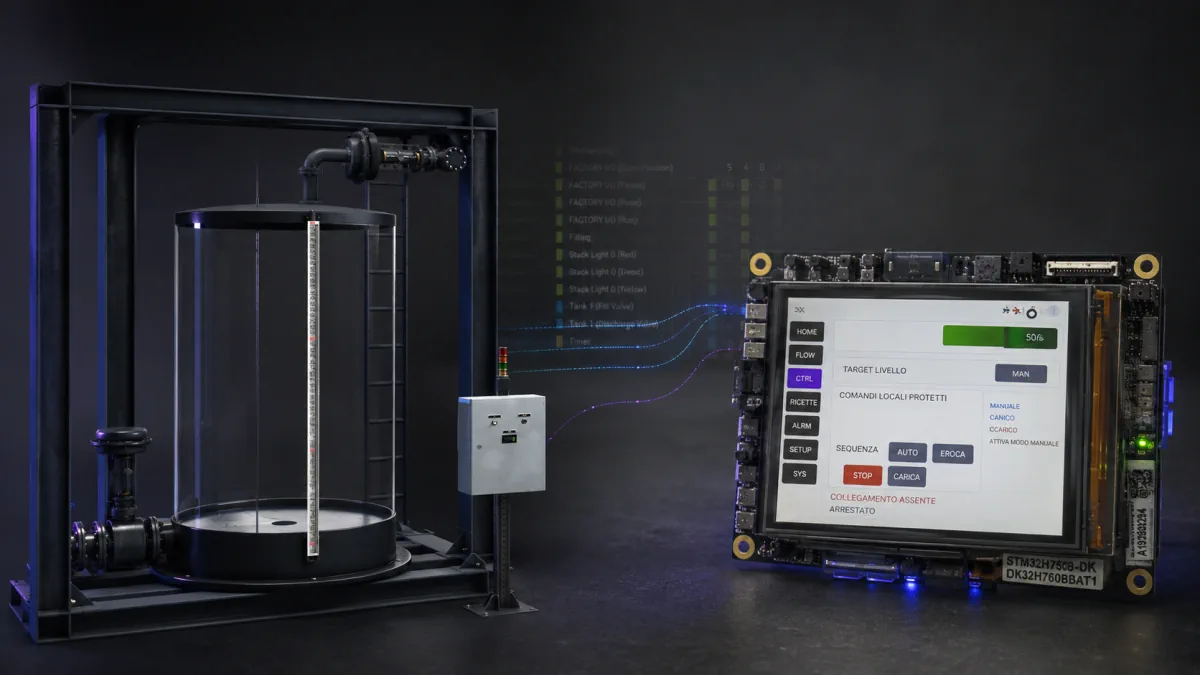
SLX FlowControl shows industrial HMI development on an STM32H750B-DK: FreeRTOS real-time control, Modbus TCP/IP and a Factory I/O digital twin for checking sequences, alarms and diagnostics before machine integration.
Open project →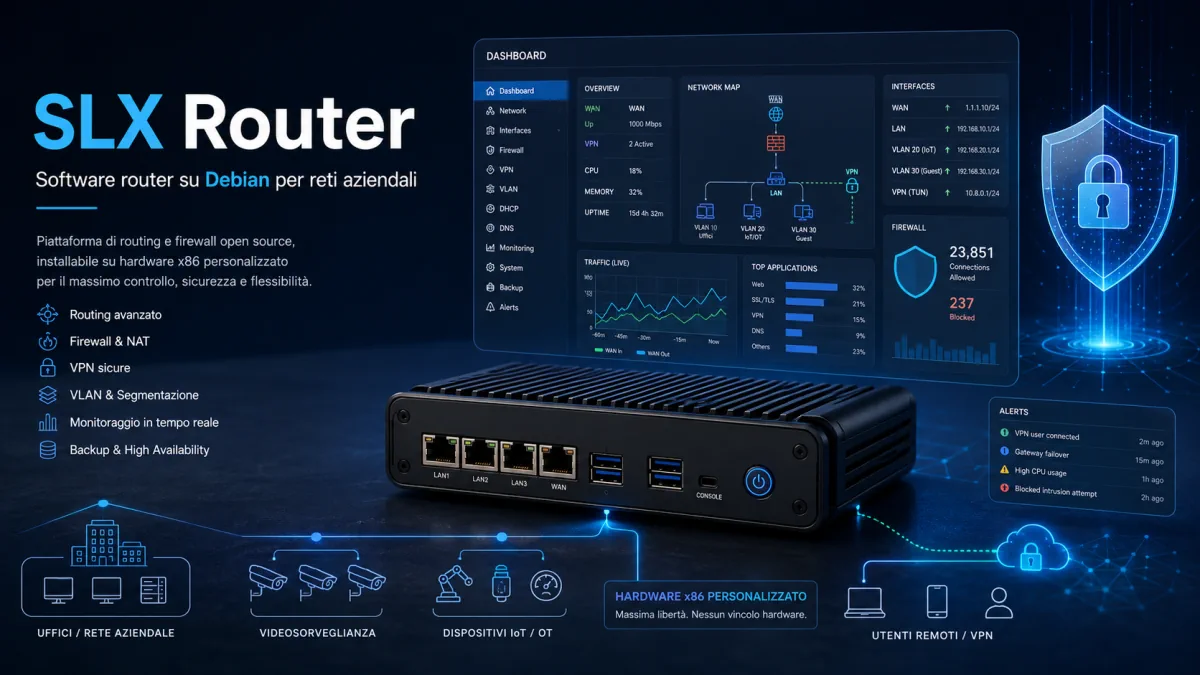
SLX Router is a professional Debian router for SMBs, MSPs, CCTV and IoT/OT networks: business firewall, WireGuard VPN, VLANs, NAT, QoS, backup, web dashboard, network security, PDF reports and controlled maintenance.
Open project →