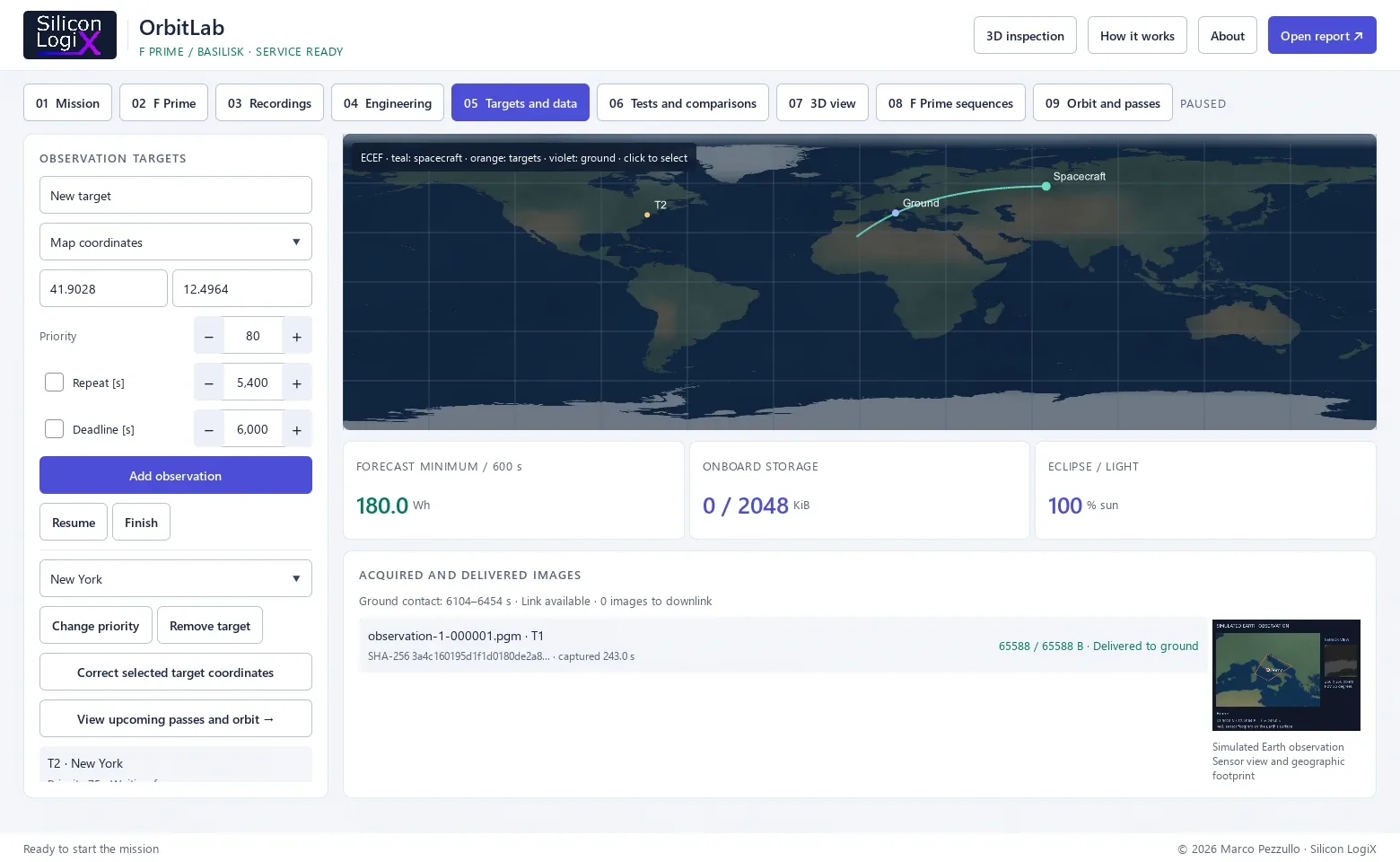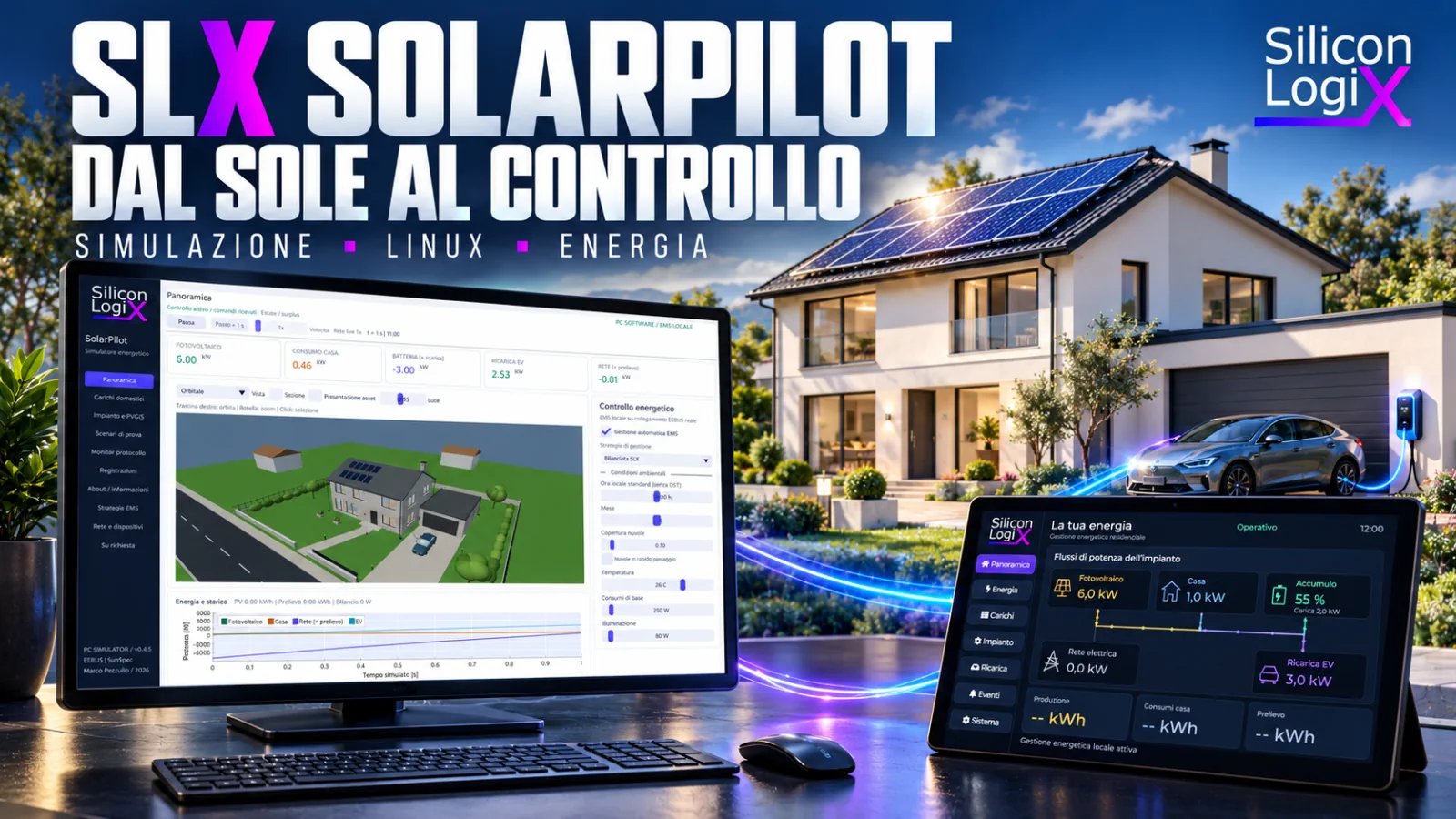
The oven is switched on, solar production drops and the car is charging. These actions involve different parts of the home, yet meet in the same electrical balance. An energy management system needs to know available power, respect device limits and decide which requests can adapt. Testing those decisions requires a coherent model and communication that can be observed through to its result.
SLX SolarPilot connects a virtual residential plant to a Linux touch controller. The Windows simulator reproduces photovoltaics, storage, appliances and EV charging; the embedded application uses LVGL on Raspberry Pi and exchanges data through EEBUS. The bench makes it possible to study calculations, protocols and operator interaction together.
The SolarPilot project page presents the application and architecture. This article examines physical quantities, communication choices and criteria for verifiable testing. The GitHub repository and Windows release 0.4.5 are available for evaluation.
kW and kWh: two different questions
Power describes the rate of energy transfer at a given instant. Energy accounts for that transfer over time. A demand of 2 kW maintained for half an hour corresponds to 1 kWh: 2 kW × 0.5 h = 1 kWh. When a load changes, power must be integrated over the different intervals.
The SolarPilot engine uses a one-second physical step. An interval at constant power P, expressed in watts, contributes energy according to ΔE [Wh] = P [W] × Δt [s] / 3600. A 2000 W load maintained for 180 seconds therefore transfers 100 Wh. This simple check helps reveal unit errors, conversions applied twice and intervals counted beyond the end of a charging session.
Installed photovoltaic power, expressed in kWp, is another quantity: it describes module nameplate capacity under test conditions. It does not establish the energy produced in a day or guarantee constant operating power.
From sunlight to power available in the home
Photovoltaic modules generate DC electricity. The inverter converts it for the AC side of the installation. Irradiance on the module plane, orientation, inclination, cell temperature and converter limits contribute to the result. The JRC's PVGIS calculation methods describe these factors and distinguish module temperature from air temperature.
A simplified educational relationship is Pdc ≈ Pstc × (G / 1000) × [1 + γ × (Tcell − 25)]. G is irradiance in W/m², Tcell is cell temperature in degrees Celsius and γ is the module temperature coefficient. Reference conditions use 1000 W/m² and a cell temperature of 25 °C. The relationship helps interpret the phenomena; it does not replace a complete component model.
Sixteen 450 Wp modules provide 7.2 kWp of nameplate capacity. Assuming, solely for this illustrative calculation, G = 800 W/m², Tcell = 45 °C and γ = −0.0035 per degree, the temperature factor is 0.93 and estimated DC power is approximately 5.36 kW. These are declared assumptions, not a forecast for a particular roof or commercial module. Sandia's PVPMC description of PVWatts examines models based on irradiance and temperature.
The inverter adds its own constraint. If available DC energy would support power above the AC limit, output is capped: this is clipping. Module capacity, inverter rating and storage capacity must therefore remain separate parameters. SolarPilot's instantaneous model is deterministic and simplified: it projects solar components onto panels and applies temperature factors and limits, without calculating detailed local shading, electrical strings or complete MPPT tracking.
PVGIS: a historical reference with retained parameters
PVGIS provides photovoltaic data and production estimates for declared locations and configurations. The project includes reference responses for Bologna, Rome and Palermo: 1 kWp on the south-facing group, an inclination of approximately 26.565°, the SARAH3 database and system losses set to 14%. The monthly view scales them by the south-facing group's nameplate power.
These data do not change automatically when an object rotates in the scene, do not estimate the north-facing roof section and do not predict a cloud passing in the next few seconds. Instantaneous simulation remains a separate path. The declared 14% is already included in the PVGIS response: subtracting it again would reduce the result twice. The official losses FAQ also explains why successive loss factors combine multiplicatively.
The balance must close at every interval
The AC household model adopts an explicit convention: grid power is positive when importing and battery power is positive when discharging. Battery charging and grid export are negative. The fundamental numerical check is:
Ppv + Pgrid + Pbattery − Phome − Pev = 0EV consumption is separate from household consumption. Inverter and battery power refer to the AC side of the balance; storage losses are accounted for when energy moves into or out of internal storage. This makes it possible to check both power conservation at the household node and the evolution of state of charge.
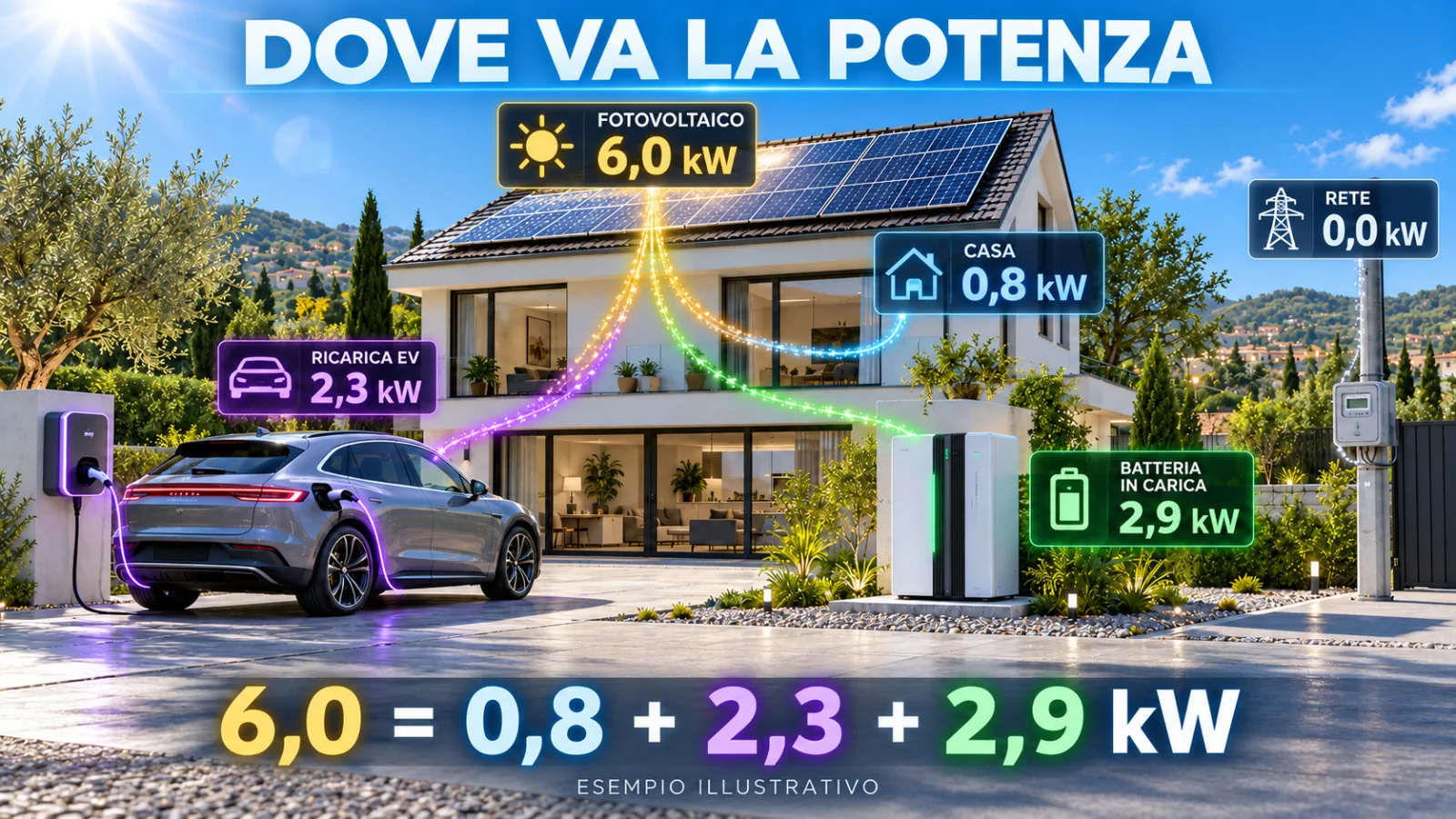
In this example, 6.0 − 2.9 − 0.8 − 2.3 = 0 kW. Adding a 2.4 kW oven while keeping EV charging unchanged has a physically possible solution: reduce battery charging from 2.9 to 0.5 kW. Other priorities may instead reduce vehicle charging or allow grid import. The balance identifies admissible solutions; the policy chooses which to pursue.
An import limit cannot make appliance demand disappear. If non-deferrable loads exceed available headroom, the overload and intended behaviour must be represented. In the demonstrator, a protected cycle already running may continue while the EMS reduces new starts or flexible loads.
Storage: capacity, power, reserve and efficiency
A 10 kWh battery and a battery capable of supplying 3 kW describe two different constraints: storable energy and transferable power. SOC, State of Charge, represents a fraction of capacity. At 55% of 10 kWh, the model represents 5.5 kWh stored; with a reserve set to 15%, 4 kWh can be used before reaching that reserve.
SolarPilot applies 95% efficiency in each direction in its base configuration. Charging at 2 kW for half an hour draws 1 kWh from the AC side and adds 0.95 kWh to storage. Removing 1 kWh from internal energy delivers 0.95 kWh to the AC side. A full cycle under the same conditions therefore has efficiency 0.95 × 0.95 = 0.9025, or approximately 90.25%.
The reserve enters the calculation before the transfer is applied. In the example with 4 kWh of usable internal energy, the AC side can receive 3.8 kWh at 95% efficiency. A constant 0.8 kW load would correspond to 4.75 hours, only under these assumptions and with no other consumption. This is an exercise on the model, not a real home's autonomy estimate.
Near SOC limits, control must reduce the final transfer to what remains possible. Simply clipping SOC after an excessive step would distort accounting: the meter would have observed energy the battery could not accept or supply. Independent numerical tests cover these cases as well.
EV charging: energy target and available time
The bench vehicle has a demonstration capacity of 60 kWh. Moving from 45% to 80% requires 60 × (0.80 − 0.45) = 21 kWh of internal energy increase. With 92% charging efficiency, the required AC energy in the model is approximately 21 / 0.92 = 22.83 kWh.
At 16 A in a single-phase example at 230 V and unity power factor, power is 3.68 kW. At constant power, 22.83 kWh would take approximately 6 hours and 12 minutes. These are idealised conditions: the model does not represent a commercial vehicle's complete charging curve, final taper or IEC 61851 electrical control.
The demonstration minimum is 6 A, corresponding to 1.38 kW at 230 V; strategy increments correspond to 1 A. The limit can depend on the wallbox, available power, selected mode and target. Surplus, fast and departure modes allow different priorities to be compared. A feasibility check flags when available time and power are insufficient, without guaranteeing future solar production.
The final second matters too. If the vehicle reaches its target during an interval, the step's average power and actual charging duration must remain consistent. The core distinguishes active setpoint, active duration and stored energy, avoiding energy transfer beyond the target.
Appliances: managing a cycle, not just a switch
A washing machine does not continuously draw its heater's rated power. In the model it moves through filling, heating, washing, rinsing and spinning; a dishwasher has its own sequence. The EMS must account for the fact that authorising a low-power phase now may commit higher power shortly afterwards.
Control distinguishes new deferrable starts from protected cycles. Priorities and operating windows govern admission; explicit device unavailability differs from a simple reduction in surplus. The oven, kettle and cooktop help reproduce rapid changes and cases where available flexibility is insufficient.
The 3D scene makes the object associated with a load recognisable. Geometrically opening an appliance door remains a visual function: it does not automatically introduce a thermal model of an open door or consumption measured on a real appliance.
EEBUS: from device discovery to an operational connection
The bench's native communication uses SHIP 1.0.1 and SPINE 1.3.0, with Enbility library revisions pinned in the project. Their responsibilities differ: SHIP establishes and protects the connection; SPINE describes energy resources and application operations. The official EEBUS catalogue collects specifications, schemas and use cases. Using these layers requires commissioning and tests of roles, functions, limits and timing; the demonstrator does not claim certification or universal compatibility.
Discovery, addresses and trusted identity
Discovery uses mDNS/DNS-SD advertisements of the _ship._tcp service. A manually configured address can also locate a node. In the SolarPilot bench the configured SHIP ports are 4712 for the PC and 4713 for the controller: these are installation choices, not universal EEBUS port assignments. An IP address locates the partner but does not authorise it.
The bench records the peer's SKI, certificate fingerprint and SHIP ID. Connection setup proceeds through TCP, TLS and WebSocket before SHIP completes the application connection process. Pairing requires confirmation of the selected partner's identity; discovering a device on Wi-Fi is not enough to trust it. The SHIP overview and ship-go implementation describe this layer. No claim is made that every optional SHIP pairing or PIN path is implemented by the bench.
SPINE entities, features and roles
SPINE organises a device into entities and features with application roles. A role belongs to a feature; it is not determined simply by which endpoint opened the TCP connection. Discovery through nodeManagementDetailedDiscoveryData identifies the supported structure and functions before the controller assigns an installation role.
The SLX reference profile includes grid, household, PV, battery, EVSE, washing machine, dishwasher and available-PV entities. Its fixed addresses support repeatable bench commissioning; a third-party device must be mapped from the inventory it actually exposes. Depending on the supported use case, binding and subscriptions establish relationships for commands and subsequent notifications. The SPINE description explains the application layer.
Requests, notifications and correlated results
A SPINE datagram separates a header from the payload. Source and destination addresses identify the participating features; the command classifier distinguishes operations such as reads, replies, notifications and writes. msgCounter identifies an application message, while msgCounterReference links a response to its request. These are application counters, not TCP sequence numbers.
The spine-go datagram types document these fields. Correct correlation allows the controller to follow a write to its result even when notifications for other measurements arrive in between.
Measurements: number, scale, unit and origin
The MPC path, Monitoring of Power Consumption, transfers updates through measurementListData. A value must be interpreted together with the point description: identifier, quantity, unit, timestamp and status. The following fragment illustrates a measurement element; it is not a complete datagram ready to transmit:
{
  "measurementId": 1,
  "value": { "number": 2530, "scale": 0 },
  "valueSource": "calculatedValue"
}
If the point description associates that measurement with power in watts, the value represents 2530 W. number=253 and scale=1 produce the same quantity. The structure is documented in spine-go's Measurement types. Bench data are marked as calculated: sending a simulator value through a real protocol does not turn it into a physical sensor reading.
LPC and LPP: a limit does not impose consumption
LPC concerns limitation of consumption; LPP concerns limitation of production. SolarPilot uses loadControlLimitListData to transfer caps for supported entities. The LPC specification describes direction, parameters and use-case behaviour. In the model, a consumption cap of 2000 W does not force a load to consume 2000 W: it limits its admissible demand.
The node receiving a write returns a correlated result. resultData.errorNumber=0 indicates application acceptance; actual behaviour is checked against subsequent measurements. For storage, reserve, SOC, available energy and local limits continue to constrain what can happen. Profile choices are described in the SolarPilot bench EEBUS contract.
Data expiry and the demonstrator watchdog
The reference controller rejects MPC measurements older than three seconds. In the complete SLX profile, all six external limits required by the bench must also be recent and the SHIP connection must be present. When valid control is lost, EV and battery operation are stopped in the model, while already-started cycles and the local export interlock retain their declared behaviour.
This three-second watchdog is a local demonstrator rule, distinct from the timers and state machines of normative use cases. Generic profiles use limits for individual entities and their associated durations; they do not require the SLX bench's six-channel sequence. Passing this test cannot establish full compliance for a regulated controller.
What the message monitor actually shows
The EEBUS monitor observes the SHIP application body at stack entry and exit points. Displayed JSON is therefore available to the application after secure-connection processing. It is not a PCAP capture: it does not show TCP headers, encrypted TLS records or every byte of WebSocket framing. Network captures and application traces answer different questions.
PC TX and EMS RX observations may refer to the same message seen at both endpoints. Counting them as separate telegrams would distort estimated traffic. SolarPilot retains a ring of 256 observations; a preview may be truncated at 16 KiB, while the byte count covers the complete observed body.
Timing also needs a definition. The local bench's RTT includes publication, reception, policy decisions and the return of limits: it does not measure only a packet's time in flight. Timestamps, SPINE counters, direction and result instead make it possible to reconstruct a test sequence and distinguish delay, missing response and accepted command.
SunSpec Modbus TCP: reading a telegram and discovering models
Modbus TCP transport uses an MBAP header and a PDU containing function and data. The Modbus Application Protocol V1.1b3 defines functions; SunSpec gives meaning to energy points. The SolarPilot server defaults to port 1502, configurable to 502 when required by external equipment.
Complete example: requesting the SunSpec signature
In the bench mapping, Unit ID 2 represents the grid meter and the SunSpec signature is at zero-based address 40000. An FC03 read of two registers can use the following educational request, with Transaction ID 42:
00 2A 00 00 00 06 02 03 9C 40 00 0200 2A: Transaction Identifier, repeated in the response.00 00: Protocol Identifier for Modbus TCP.00 06: number of following bytes, including Unit Identifier and PDU.02: Unit Identifier of the bench meter.03: read holding registers.9C 40: starting address 40000 in big-endian format.00 02: requested quantity, two 16-bit registers.
The response containing the SunS signature is:
00 2A 00 00 00 07 02 03 04 53 75 6E 53The byte 04 indicates four data bytes. 53 75 6E 53 represents the ASCII signature. The two examples are 12 and 13 bytes long respectively. Framing cannot, however, depend on a single receive call: TCP is a stream and may deliver a frame in several parts or several frames together.
Model chains, addresses and types
After the signature, each block declares its identifier and length. A client can locate a model, read its points or skip it if unsupported. A final register containing identifier 0xFFFF and a zero length closes the chain. Individual point addresses depend on preceding blocks: copying them from another inverter without discovery is fragile.
The SolarPilot server associates Unit IDs 1, 2 and 3 with PV, grid and storage. It exposes models 1, 101, 120 and 123 for the first; 1 and 201 for the second; and 1, 101, 120 and 124 for the third. These are demonstrator choices. The official SunSpec definitions and SolarPilot matrix make the mapping verifiable.
Representation can use scaled integers or floating-point points, each with its own type. The scale factor is a signed integer: real value = raw value × 10^SF. In the SolarPilot meter profile, W_SF=1 provides 10 W resolution; a raw value of −123 represents −1230 W, meaning export under the bench convention. Register quantisation does not alter the core's physical calculation.
Unavailable values must be distinguished from zero. For example, the 0x8000 sentinel for an int16 point is not a usable negative measurement. Client software may also display register numbering with a one-address offset from protocol addresses: the example's base address 40000 must be interpreted under the client's convention, rather than assumed from the text shown in its address field.
SunSpec controls, errors and storage behaviour
Writing a limit and checking its effect
The bench server accepts FC03/FC04 reads and FC06 or FC16 writes at implemented points. FC06 writes one register, FC16 a group; SolarPilot validates a multiple-register write before applying it, avoiding partial updates when values are inadmissible. Invalid functions, addresses or data produce Modbus exceptions rather than an application confirmation.
An exception response to function 03 uses function code 0x83, with its most significant bit set, followed by the reason. Codes 01, 02 and 03 mean illegal function, illegal data address and illegal data value respectively. A timeout instead means no useful response arrived within the client's deadline; it must not be recorded as a negative confirmation received from the device.
Modbus TCP follows a request/response model: the client schedules reads and checks Transaction ID, function, length and data quantity before interpreting registers. Reception time is not automatically the physical measurement timestamp. Polling frequency must therefore match data updates, network load and device behaviour.
For PV, model 123 includes WMaxLimPct and WMaxLim_Ena. The client must read the scale, convert the percentage into the point's representation, set the limit and enable it. A 50% limit on a 6 kW nameplate rating corresponds to a maximum of 3 kW; it does not guarantee that sunlight will make those 3 kW available. The model 123 definition documents the points.
Where implemented, a positive RvrtTms restores local control after that number of real seconds; zero retains the command in the SolarPilot mapping. A write acknowledgement must be followed by reading back parameters and measurements, also checking whether a stricter local limit prevents its effect.
Model 124 and the charge/discharge interval
In model 124, StorCtl_Mod enables charge and discharge controls; InWRte, OutWRte and MinRsvPct describe limits and reserve. In the SolarPilot mapping, enabled controls define the interval:
−InWRte × WChaMax / 100
    ≤ Pbattery ≤
 OutWRte × WChaMax / 100
With WChaMax equal to 3 kW, InWRte = 50 and OutWRte = −50, enabling both controls reduces the interval to −1.5 kW: a charging request under the bench convention. An impossible interval is rejected. SOC, reserve, energy availability and grid-charging permission remain model constraints; operational meaning must always be checked against target-device documentation and the model 124 definition.
SLX functions and connection security
The optional SLX Energy/1 extension uses a separate bank: Unit ID 10 and registers 60000–60007. Identification, EV setpoint, washing-cycle permissions and watchdog belong to this bench contract. They are not universal SunSpec points and are not required to use the standard PV and storage reads and controls that are implemented.
The demo uses ordinary Modbus TCP on the laboratory network, with access restricted to authorised bench systems. Modbus Security, which uses TLS and certificates, is a distinct profile. TLS on the EEBUS connection does not automatically protect the separate Modbus TCP listener.
Interoperability and failure testing
Compatibility requires a shared contract at several levels: transport, identity, application role, available models, units, writable points and temporal behaviour. The same protocol name on two datasheets is an initial condition, not a passed acceptance test. The EEBUS certification documentation distinguishes roles and verification paths.
- Unexpected identity: a discovered device must not be paired without checking that it is the intended partner.
- Missing or unavailable point: the interface must preserve that information instead of inventing a plausible zero.
- Rejected command: the result must remain associated with the request that caused it.
- Late response: measurement validity must be assessed using the data's time, not merely the presence of an open socket.
- Reconnection: a restored connection and newly valid control require fresh, coherent exchanges.
The project also separates network protocols from its own inter-process connection: JSON Lines is used for local IPC to the protocol service; the accelerated laboratory retains a separate NNG/TCP/CBOR path. Third-party devices do not need these internal mechanisms to communicate through EEBUS or SunSpec. The service documentation defines that boundary.
Embedded Linux and LVGL: control moves onto the device
The controller uses a Raspberry Pi 3 Model A+ and a 10.1-inch touchscreen. Its image is built with Buildroot and retains the services required for networking, control, the interface, time and persistence. The project version uses Linux 6.12.61 and LVGL 9.5. Hardware, pages and responsibilities are detailed in the project description.
The HMI receives state from the application service and sends validated requests. Navigation must remain responsive during a Wi-Fi scan; a late response must not reopen a page the user has already left. Flow animation, confirmations and events make these system behaviours visible on the display.
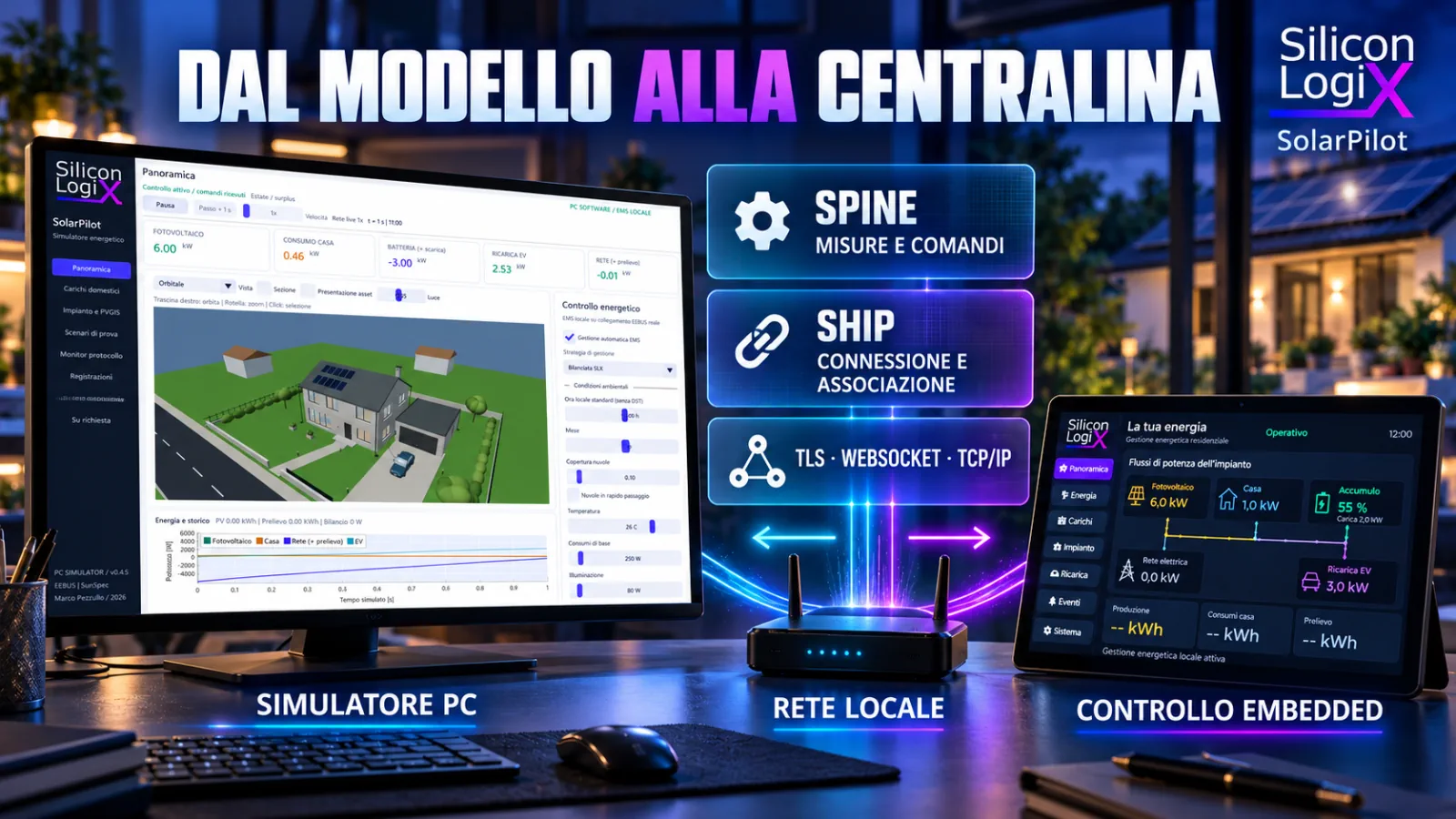
The comparison has two distinct timescales: physical model steps and the real time of networking, watchdogs and interaction. External tests run at 1×; accelerated scenarios belong to the local laboratory. A recording allows data and decisions to be reviewed while preserving that distinction.
Turning a demonstration into a repeatable test
A useful test declares its initial situation, action, expected result and quantities to observe. Resetting, keeping the same duration and using the same parameters allow policies to be compared without attributing operator-introduced differences to the controller.
| Case | Introduced change | Check |
|---|---|---|
| Solar surplus | Production exceeds loads | Allocation between storage, EV and export; consistent balance |
| Clouds and new loads | Reduced production and an appliance switched on | Adjustment of flexibility and respect for available limits |
| Storage reserve | SOC close to the configured minimum | Limited final transfer and loss accounting |
| EV target | Target SOC reached within an interval | Partial stop without additional energy beyond the target |
| Communication loss | Measurements or commands become stale | Visible status, fallback behaviour and recovery |
The published release's GitHub validation compiled the Windows interface and successfully ran nine test groups. The path covers independent energy calculations, scenarios, EMS, recording and protocols. Physical Raspberry Pi trials also demonstrate the prototype's bench connection; they do not automatically qualify all third-party energy equipment.
Software scenarios and reports describe the declared model. A real installation's production requires site and component data; field control requires specific adapters, protection and validation. Operational weather forecasts, tariff optimisation and advanced integrations are developments available on request.
Trying SolarPilot and planning an integration
The Windows x64 package is sufficient to begin: extract the complete archive and launch SLX-SolarPilot.exe with an OpenGL 3.3 driver. The repository includes the interface, SDK, documentation and core binaries; use is governed by the Silicon LogiX evaluation licence. Controller firmware is not included in the public Windows package.
Developing an energy controller, HMI or device adapter starts with equipment interfaces, installation constraints and cases to reproduce. A technical assessment request can identify devices to connect, quantities to control and conditions to verify. This provides a route from the demonstration bench to custom development.
Technical references
- SLX SolarPilot project: touch controller and 3D simulator.
- SolarPilot energy model, EMS strategies and validation.
- JRC: PVGIS calculation methods and PVGIS 5 API.
- Sandia PVPMC: PVWatts model.
- EEBUS SHIP, SPINE and official use cases.
- SunSpec Alliance specifications, models and Modbus documentation.
- Buildroot manual and LVGL documentation.